
Guia Cybelec CybTouch 12 PS: Recursos, Programação e Solução de Problemas

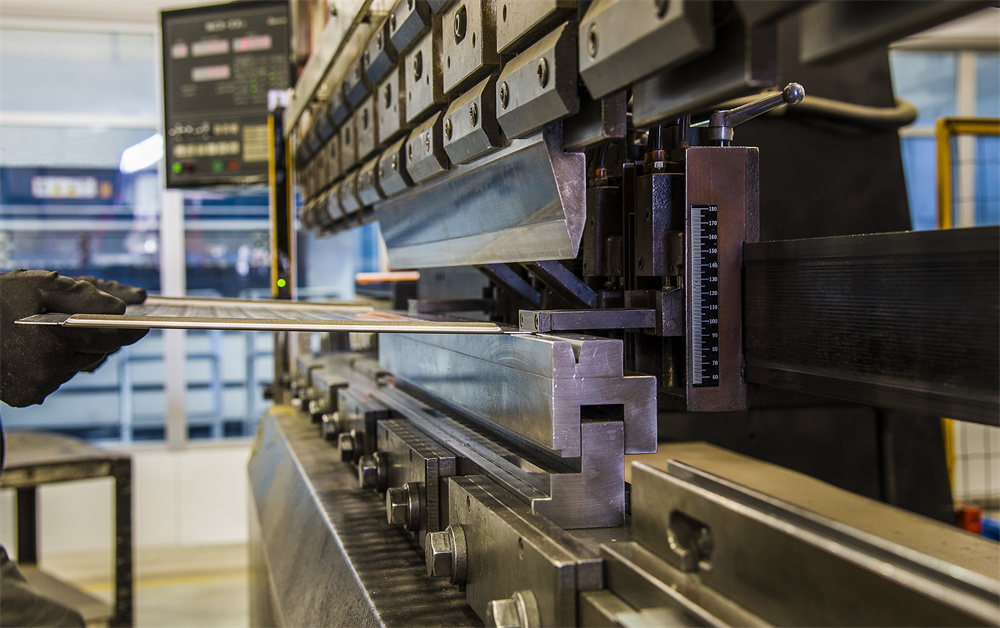
Resposta curta: the Cybelec CybTouch 12 PS is a 12″ touchscreen CNC control for synchronized press brakes, controlling 4 axes: Y1, Y2 (the two ram cylinders), X (backgauge depth) and R (backgauge height). It supports 2D TouchProfile drawing of the part with manual bend sequencing (automatic sequencing is an option), calculates bend allowance, pressure, crowning and punch depth, and stores angle and backgauge corrections. This guide covers the features, a basic programming workflow and how to solve common problems.
CybTouch 12 PS Key Features
| Item | CybTouch 12 PS |
|---|---|
| Display | 12″ colour touchscreen |
| Axes | Y1, Y2, X, R |
| Programming | 2D TouchProfile part drawing; manual sequencing (automatic sequencing optional); EasyBend page for single bends |
| Calculations | Bend allowance, pressure and crowning, punch depth |
| Corrections | Angle and backgauge correction |
| Storage | Programs, punches and dies in memory (datasheets mention 300 programs, 100 punches, 100 dies) |
| Connectivity | USB; wireless data transfer and backup (RFlink); offline PC software options |
| Other | Eco mode to reduce pump idle time; telemaintenance |
Sources: Cybelec and distributor datasheets. Exact features depend on version and options.
Basic Programming Workflow
- Tools: make sure the punch and die you will use are defined in the tool library with correct heights and dimensions.
- Single bend: for a quick job, use the EasyBend page: enter thickness, material, angle and flange length.
- Multi-bend part: use TouchProfile to draw the profile (flange lengths and angles), then set the bend sequence (manually, or automatically if the option is installed).
- Check: review the calculated depth, pressure, crowning and backgauge positions.
- Test and correct: bend a test part, measure angles and flanges, and enter angle and backgauge corrections.
- Save the program for repeat orders.
Common Problems and Solutions
| Symptom | Likely cause | What to do |
|---|---|---|
| Angle consistently too open or closed | Springback; material data or thickness differs from the program | Check thickness and material; apply angle correction. See the springback chart |
| Angle different in the middle vs the ends | Crowning setting | Adjust crowning. See crowning problems |
| Angle different left vs right | Y1/Y2 parallelism or reference | Re-reference the axes; check parallelism with the machine builder’s procedure |
| Flange length wrong | Backgauge reference, finger position, bend allowance | Check the X reference and fingers; apply backgauge correction |
| Punch hits the die or wrong depth | Wrong tool heights in the library | Measure tools and correct the library |
| Axis alarm or no movement | Safety circuit, drive fault, limit switch, hydraulic pressure | Read the alarm message and follow the machine manual; contact service for drive faults |
For a structured approach to angle errors, see press brake angle troubleshooting. Alarm numbers and texts vary by software version, so use the alarm list in your machine’s manual.
CybTouch 12 PS vs Delem DA-53T
Both are touchscreen controls for synchronized press brakes with 4 axes. The CybTouch 12 PS includes 2D profile drawing, while the standard DA-53T programs numerically (2D graphics come with the DA-53Tx and DA-58T). Many operators find both easy to learn; the deciding factors are usually the machine builder’s offer, local service and what your operators already know. See Delem vs Cybelec e o Delem DA-53T programming guide.
Verify the CybTouch program on a known part after a change
Retain the software version, tool library revision and job drawing. After an approved program change check angles, flange dimensions and repeatability on the same first piece.
Perguntas frequentes
How many axes does the CybTouch 12 PS control?
Four: Y1 and Y2 (ram), X (backgauge depth) and R (backgauge height).
Can the CybTouch 12 draw the part profile?
Yes, with TouchProfile 2D drawing. Automatic bend sequence calculation is an option.
What is the difference between CybTouch 8 and CybTouch 12?
CybTouch 8 models are used on simpler (including torsion-bar) press brakes. The CybTouch 12 PS is designed for synchronized press brakes with a larger screen and 2D drawing.
General guidance; follow the manual supplied with your machine.
Press Brakes with Cybelec Controls
KAVDO CNC electro-hydraulic e electric press brakes are available with Cybelec controls. Contact us for options and training.
