Laser Cutting Machine Auto-Focus Not Working: Troubleshooting Guide


Introduction
In the high-precision world of metal fabrication, the auto-focus system of a laser cutting machine is the heartbeat of production efficiency. When a laser cutting machine auto-focus not working, the immediate result is inconsistent cut quality, increased scrap rates, and significant downtime. For operators and maintenance teams, understanding the nuances of this system is critical to maintaining the high standards expected in modern manufacturing environments.
The auto-focus mechanism is designed to maintain the optimal focal point of the laser beam relative to the surface of the material being processed. Whether you are working with thin stainless steel or thick carbon plates, the distance between the nozzle and the workpiece must remain constant. When this system fails, the beam may become defocused, leading to incomplete cuts, dross accumulation, or even damage to the laser head itself.
This guide serves as a comprehensive resource for addressing the Laser Cutting Machine Auto-Focus Not Working: Troubleshooting process. We will explore the mechanical, electrical, and software-based components that govern this feature. By following these systematic steps, HARSLE machine operators can identify whether the issue is a simple sensor calibration error or a more complex mechanical failure requiring professional intervention.
At HARSLE, we prioritize uptime and precision. We understand that every minute a machine is down, production targets are missed. Therefore, this article is structured to provide actionable insights that can be implemented immediately on the shop floor. From checking nozzle integrity to verifying servo motor feedback, we cover the essential technical details required to restore your machine to peak performance.
Key Considerations for Auto-Focus Systems
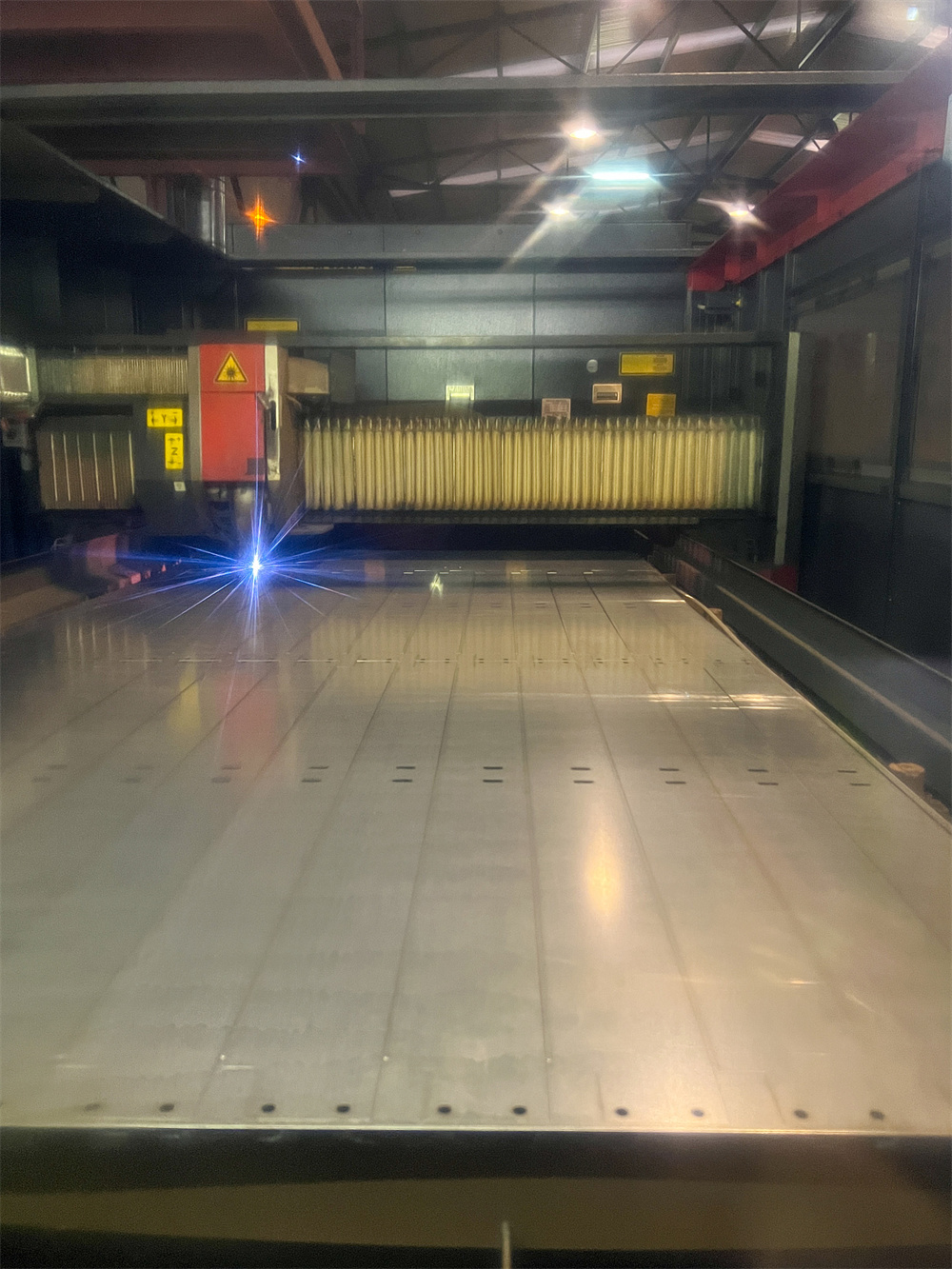
Before diving into complex repairs, it is essential to understand the environment in which the auto-focus system operates. The laser cutting head is subjected to extreme heat, metal dust, and high-pressure assist gases. These factors contribute significantly to the wear and tear of the capacitive sensors that drive the auto-focus functionality.
The first consideration is the cleanliness of the nozzle and the ceramic ring. The capacitive sensor relies on the electrical capacitance between the nozzle tip and the metal sheet. If there is debris, slag, or oil residue on these components, the signal becomes unstable. A simple cleaning routine is often the first step in resolving auto-focus issues. Always ensure the machine is powered down before inspecting or cleaning the nozzle assembly.
Secondly, consider the material being cut. Highly reflective materials such as copper or brass can sometimes interfere with the sensor’s ability to detect the surface accurately. If the auto-focus fails only when processing specific materials, the issue may lie in the sensitivity settings of the controller rather than a hardware failure. Adjusting the gain or sensitivity parameters in the software can often mitigate these environmental interferences.
Thirdly, the grounding of the machine is a frequently overlooked factor. Because the auto-focus system relies on electrical capacitance, any disruption in the grounding path can lead to erratic behavior. Ensure that the workpiece is properly clamped to the machine bed and that the bed itself is clean to allow for a consistent electrical connection. A poor ground path is a common culprit when the laser head seems to “hunt” for the surface without ever locking on.
Finally, consider the mechanical alignment of the Z-axis. If the laser head is physically tilted or if the guide rails are worn, the sensor may provide inconsistent readings. Regular maintenance of the Z-axis linear guides and ball screws is vital. If the head cannot move smoothly, the auto-focus system will struggle to maintain the required distance, leading to the dreaded “follow error” alarms on your control panel.
Technical Details: Diagnosing the Failure
When the Laser Cutting Machine Auto-Focus Not Working: Troubleshooting process begins, you must isolate the problem into one of three categories: sensor signal, mechanical movement, or software configuration. The sensor signal is the most common point of failure. The capacitive sensor sends a voltage signal to the controller based on the distance to the metal. If this signal is noisy or absent, the controller cannot determine the height.
To test the sensor, use a multimeter to check the continuity of the cable connecting the laser head to the control unit. Look for signs of fraying, heat damage, or loose connections. Many modern HARSLE laser systems include diagnostic screens that display the real-time voltage of the sensor. If the voltage does not change as you move the head closer to the metal, the sensor or the ceramic ring is likely faulty and requires replacement.
Mechanical movement issues are often identified by listening to the machine. If you hear grinding, clicking, or stuttering during the height-sensing phase, the Z-axis motor or the drive mechanism is likely obstructed. Check the bellows for debris and ensure that the Z-axis motor is receiving the correct current from the servo drive. A motor that is under-powered or failing will not be able to react quickly enough to the sensor’s commands.
Software configuration errors often manifest as “limit reached” or “follow error” messages. These occur when the machine’s software parameters for the Z-axis are out of sync with the physical reality of the machine. For instance, if the soft limits are set too tightly, the machine may stop before it reaches the material. Recalibrating the Z-axis and resetting the software limits is a standard procedure that should be performed after any major maintenance or component replacement.
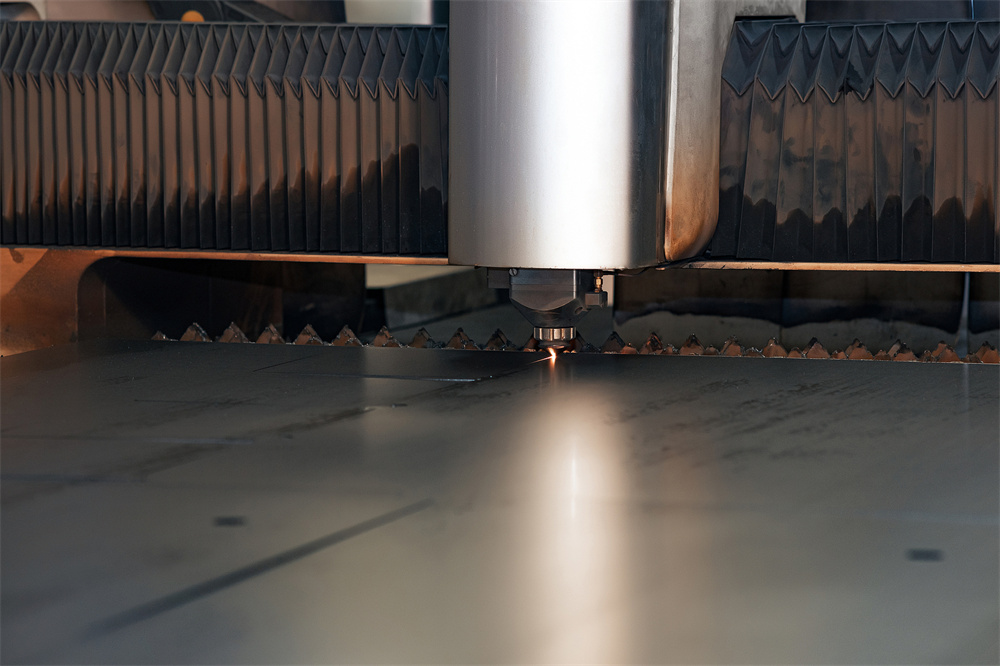
Selection Advice and Maintenance Best Practices
Choosing the right laser cutting machine involves looking at the robustness of the auto-focus system. When selecting equipment, prioritize machines that offer easy access to the laser head for cleaning and sensor replacement. HARSLE machines are designed with modular components, allowing for quick swaps of the ceramic ring and nozzle, which minimizes downtime during troubleshooting.
Maintenance is the best defense against auto-focus failure. Establish a daily checklist that includes wiping down the nozzle, checking the ceramic ring for cracks, and inspecting the protective lens. A dirty protective lens can cause the beam to scatter, which indirectly affects the sensor’s ability to read the surface correctly. By keeping the optical path clean, you reduce the thermal load on the head, which in turn protects the sensitive electronics inside.
Invest in high-quality consumables. Cheap, third-party nozzles may not have the same electrical conductivity as OEM parts, leading to inconsistent sensor readings. Using genuine HARSLE parts ensures that the capacitance values remain within the expected range, providing the controller with the stable data it needs to function correctly. This is a small investment that pays off in significantly reduced troubleshooting time.
Finally, keep your software updated. Manufacturers frequently release firmware updates that improve the responsiveness of the auto-focus algorithms. These updates often include better noise filtering and improved handling of reflective materials. If you are experiencing persistent issues, check with your HARSLE support representative to see if a software update could resolve the problem.
Troubleshooting Checklist Table
| Symptom | Potential Cause | Action |
|---|---|---|
| Nozzle crashes into material | Sensor calibration error | Recalibrate Z-axis height |
| Erratic height sensing | Dirty ceramic ring | Clean or replace ceramic ring |
| Follow error alarm | Loose cable connection | Check sensor cable integrity |
| Slow response time | Worn Z-axis guides | Lubricate and inspect linear rails |
| Inconsistent cut depth | Incorrect focus offset | Reset focus parameters in software |
FAQ: Common Questions
Why does my laser head keep crashing into the metal?
This is usually caused by a faulty capacitive sensor or a dirty ceramic ring. If the sensor cannot detect the metal, the machine does not know when to stop descending. Clean the nozzle and check the sensor cable connections first.
How often should I calibrate the auto-focus?
Calibration should be performed whenever you change the nozzle or the protective lens. Additionally, if you notice the cut quality degrading or the machine behaving erratically, a recalibration is a good first step.
Can I use any nozzle for my laser machine?
No. You should always use nozzles that are compatible with your specific laser head model. Using incorrect nozzles can lead to poor gas flow and inaccurate sensor readings, which will cause auto-focus issues.
What should I do if the auto-focus still fails after cleaning?
If cleaning and recalibration do not resolve the issue, check the Z-axis servo motor and the sensor cable for physical damage. If these are intact, the issue may be with the internal control board, and you should contact HARSLE technical support.
Conclusion
The Laser Cutting Machine Auto-Focus Not Working: Troubleshooting process is a vital skill for any operator working with high-performance metal fabrication equipment. By understanding the interplay between the capacitive sensor, the mechanical Z-axis, and the control software, you can quickly diagnose and resolve most issues that arise on the shop floor. Remember that consistent maintenance, the use of genuine parts, and a systematic approach to troubleshooting are the keys to maximizing the lifespan and efficiency of your HARSLE laser cutting machine.
If you find that the problem persists despite your best efforts, do not hesitate to reach out to professional support. Complex electrical faults or internal mechanical failures require specialized tools and expertise. At HARSLE, we are committed to supporting our clients through every step of their production journey, ensuring that your metal fabrication equipment remains a reliable asset for years to come.