Press Brake Control Panel Errors: Common Faults and Quick Solutions


Introduction to Press Brake Control Panel Errors
In the modern metal fabrication industry, the CNC press brake stands as a cornerstone of precision and productivity. At the heart of this machine lies the control panel—the sophisticated brain that coordinates complex hydraulic movements, backgauge positioning, and safety protocols. However, even the most advanced systems from industry leaders like HARSLE can encounter operational hiccups. Understanding Press Brake Control Panel Errors: Common Faults Quick Solutions is essential for any shop floor manager or operator looking to minimize downtime and maintain high-quality output.
Control panel errors are rarely isolated incidents; they are often symptoms of underlying issues ranging from electrical fluctuations to mechanical wear or software glitches. When a press brake stops mid-cycle or refuses to initialize, the control panel usually displays an error code or a descriptive message. Interpreting these signals correctly is the difference between a five-minute fix and hours of lost production. This guide provides a deep dive into the most frequent control panel faults, offering technical insights and practical solutions to keep your machinery running at peak performance.
Key Considerations for Control Panel Stability
Before diving into specific error codes, it is vital to understand the environment in which these control panels operate. Industrial environments are notoriously harsh, characterized by electrical noise, dust, and temperature fluctuations. These factors significantly influence the stability of the Human-Machine Interface (HMI) and the underlying Programmable Logic Controller (PLC).
One of the primary considerations is the quality of the power supply. CNC controllers are highly sensitive to voltage spikes and drops. Without a dedicated voltage stabilizer or a high-quality Uninterruptible Power Supply (UPS), the control panel may experience “ghost errors”—faults that appear randomly and disappear upon rebooting. Furthermore, proper grounding is non-negotiable. Poor grounding can lead to electromagnetic interference (EMI), which disrupts the communication between the control panel and the servo drives, leading to positioning errors or emergency stop triggers.
Another critical factor is the software version and parameter configuration. As fabrication requirements evolve, software updates may be necessary to support new features or fix known bugs. However, an incorrect update or a corrupted parameter file can render the machine useless. Always ensure that you have a backup of the machine’s original parameters stored on an external drive. This simple step can save days of troubleshooting if the control panel’s internal memory fails.
Technical Details: Categorizing Common Faults
1. Communication and Connectivity Issues
Communication errors are among the most frequent Press Brake Control Panel Errors: Common Faults Quick Solutions. These typically manifest as “Link Failure,” “CAN Bus Error,” or “No Response from Drive.” These errors occur when the central processing unit in the control panel loses contact with the peripheral components like the X-axis or R-axis servo motors.
The root cause is often a loose or damaged communication cable. In a high-vibration environment, connectors can wiggle free over time. Technicians should check the integrity of the RS232, Ethernet, or CANopen cables. If the cables are intact, the issue might lie in the communication card within the controller itself. Testing with a known-good cable is the quickest way to isolate the fault. Additionally, check for external sources of EMI, such as high-voltage power lines running too close to signal cables.
2. Servo Drive and Motor Feedback Errors
When the control panel displays an error related to the axes (e.g., “X-Axis Deviation Too Large” or “Servo Alarm”), it indicates a discrepancy between the commanded position and the actual position reported by the encoder. This is a critical fault that prevents the machine from achieving the required bending accuracy.
Quick solutions involve checking the mechanical load on the axis. Is there a physical obstruction preventing the backgauge from moving? If the mechanical path is clear, the problem may be electrical. Check the servo drive’s display for specific sub-codes. Often, an “Overload” alarm suggests that the motor is working too hard, possibly due to lack of lubrication on the ball screws or linear guides. If the error is an “Encoder Fault,” the feedback cable or the encoder itself may be contaminated with oil or dust, requiring cleaning or replacement.
3. Hydraulic System Integration Faults
Modern CNC press brakes use proportional valves to control the flow and pressure of hydraulic oil. The control panel monitors these valves via analog or digital signals. Common errors include “Pressure Not Reached,” “Y1/Y2 Synchronization Error,” or “Valve Feedback Fault.”
These errors often stem from the feedback loop involving linear scales. If the linear scales (the “eyes” of the machine) are dirty or misaligned, the control panel receives incorrect data regarding the ram’s position, leading to a synchronization fault. Cleaning the scale’s glass strip with alcohol and ensuring the reading head is properly gapped can often resolve these issues. If the problem persists, the proportional valve’s amplifier card might need recalibration or the hydraulic oil might be contaminated, affecting the valve’s response time.
4. Software and Parameter Corruption
Sometimes the hardware is perfect, but the logic is flawed. Software-related Press Brake Control Panel Errors: Common Faults Quick Solutions often appear after a power surge or an improper shutdown. You might see “System File Missing,” “Checksum Error,” or simply a frozen screen.
The first step is a cold boot—turning the machine off completely for at least 30 seconds. If the error persists, you may need to enter the system’s BIOS or diagnostic mode to reload the factory parameters. This is where your backups become invaluable. In some cases, the internal CMOS battery of the control panel might be dead, causing the system to lose its memory every time it is powered down. Replacing this small battery is a quick and inexpensive fix that prevents recurring data loss.
Selection Advice: Choosing the Right Control System
When purchasing a new press brake or upgrading an old one, the choice of the control system is paramount. A robust controller reduces the frequency of errors and simplifies the troubleshooting process. HARSLE machines often feature industry-standard controllers like Delem, Cybelec, or ESA, each known for their reliability.
- User Interface: Look for a controller with an intuitive graphical interface. 3D visualization helps operators spot potential collisions before they happen, reducing the risk of emergency-stop-related errors.
- Diagnostic Capabilities: High-end controllers offer built-in diagnostic tools that pinpoint the exact location of a fault. Instead of a generic “Error 05,” a good system will tell you “Limit Switch S1 Open.”
- Connectivity: Ensure the control panel supports Industry 4.0 features like remote diagnostics. This allows factory technicians to log into your machine via the internet to solve complex software issues without a site visit.
- Hardware Durability: The panel should have a high IP rating (Ingress Protection) to resist dust and moisture. Touchscreens should be industrial-grade, capable of withstanding use by operators wearing gloves.
Step-by-Step Troubleshooting Guide
When faced with a control panel error, follow this systematic approach to identify the Quick Solutions:
- Record the Error: Note the exact code and the circumstances under which it occurred (e.g., during fast approach, at the pinch point, or during backgauge movement).
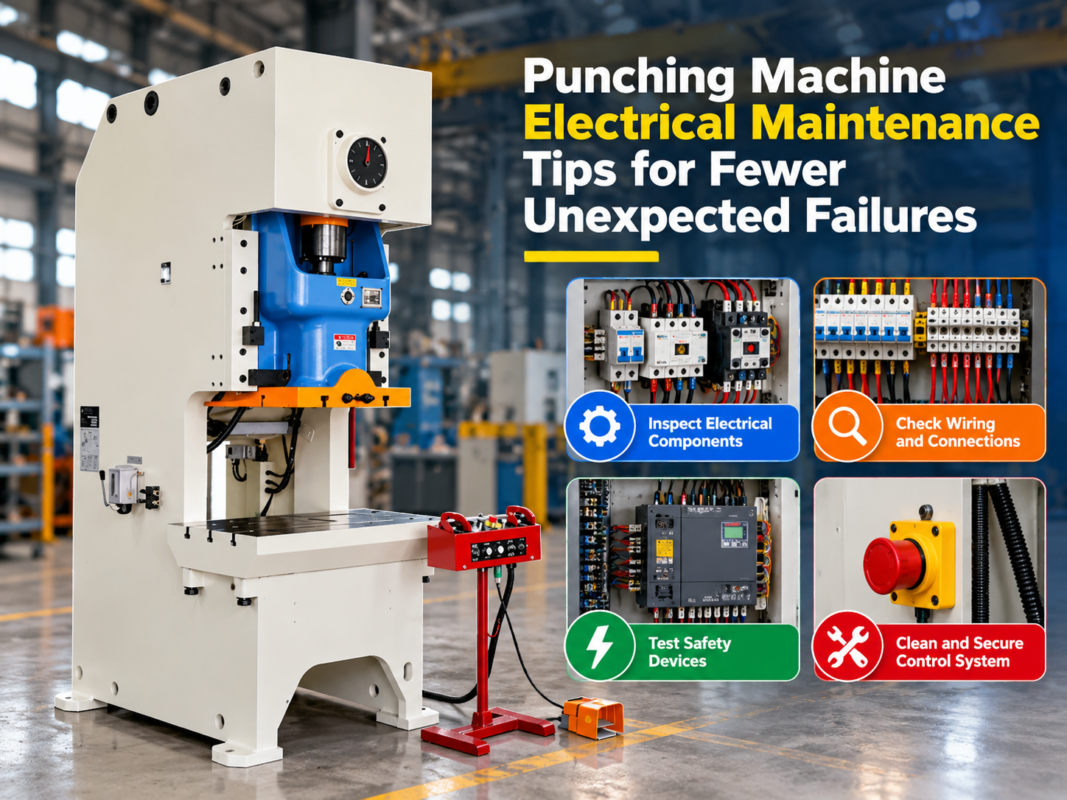
- Check the Emergency Stops: It sounds simple, but a depressed E-stop button on the foot pedal or the main console is a frequent cause of “System Not Ready” errors.
- Inspect Power and Cables: Verify that the main voltage is within the specified range and that all visible cables are securely plugged in.
- Review the I/O Status: Most CNC panels have an I/O (Input/Output) diagnostic screen. Check if the limit switches, light curtains, and pressure switches are sending the correct signals to the PLC.
- Consult the Manual: Manufacturers like HARSLE provide detailed error code tables. These tables often list the most likely cause and the recommended corrective action.
- Contact Technical Support: If the error involves internal board failure or complex parameter tuning, contact the manufacturer’s support team with your machine’s serial number and the recorded error details.
FAQ
What causes the “Y-Axis Synchronization Error” on a press brake?
This error occurs when the two hydraulic cylinders (Y1 and Y2) are not moving in unison. Common causes include air in the hydraulic lines, a dirty linear scale, or a faulty proportional valve. Bleeding the system and cleaning the scales are the first steps toward a solution.
How do I fix a frozen CNC control panel?
A frozen panel is often due to a software loop or memory overload. Perform a hard reset by turning off the main power. If it happens frequently, check the internal cooling fan of the control box; overheating is a common cause of processor freezes.
Why does my press brake lose its backgauge position after a restart?
This usually indicates that the reference point (homing) was not performed correctly or the backup battery for the encoder/controller is failing. Ensure the machine is homed every time it is powered on, and check the battery voltage.
Can I update the software on my HARSLE press brake myself?
While software updates are possible, they should be performed under the guidance of HARSLE technical support. Incorrect installation can lead to the loss of machine constants and calibration data.
What is the most common electrical cause for control panel errors?
Loose wiring due to machine vibration is the most common culprit. Regularly tightening the terminals in the electrical cabinet can prevent a wide range of intermittent communication and power faults.
How often should I back up my machine parameters?
You should back up your parameters immediately after the initial commissioning and whenever a significant change is made to the machine’s configuration or tooling library.
Conclusion
Navigating Press Brake Control Panel Errors: Common Faults Quick Solutions is an integral part of modern metal fabrication. While the complexity of CNC systems can be daunting, most issues can be resolved through systematic diagnosis and basic maintenance. By understanding the relationship between the control panel, the electrical system, and the hydraulic components, operators can significantly reduce downtime and extend the lifespan of their equipment.
At HARSLE, we prioritize the integration of user-friendly and reliable control systems in all our press brakes. However, the longevity of these systems also depends on the operator’s diligence in maintaining a clean, stable, and well-calibrated environment. Regular inspections, proper grounding, and keeping software backups are simple yet powerful strategies to ensure your press brake remains a productive asset rather than a source of frustration. When in doubt, always refer to your technical manual or reach out to professional support to ensure the safety and integrity of your industrial machinery.