Press Brake Control System Faults: Error Codes, Causes, and Quick Checks


Introduction to Press Brake Control System Faults
In the modern metal fabrication industry, the CNC press brake stands as the cornerstone of precision bending. These machines rely heavily on sophisticated control systems—such as those from Delem, Cybelec, or ESA—to manage complex calculations, hydraulic pressures, and axis movements. However, even the most robust industrial machinery, like the high-performance models produced by HARSLE, can encounter operational hiccups. Understanding Press Brake Control System Faults: Error Codes, Causes, and Quick Checks is essential for minimizing downtime and maintaining the high-quality output required in competitive manufacturing environments.
A control system fault is rarely a standalone issue; it is often a symptom of an underlying mechanical, electrical, or hydraulic discrepancy. When a CNC controller displays an error code, it is communicating a specific failure in the feedback loop or a safety violation within the machine’s logic. For operators and maintenance technicians, the ability to decode these messages quickly can mean the difference between a five-minute fix and hours of lost production. This guide aims to provide a comprehensive deep dive into the most common faults encountered in press brake control systems, offering technical insights and practical solutions.
HARSLE integrates advanced control technology into every machine to ensure user-friendly operation and high reliability. Despite this, environmental factors, wear and tear, and improper calibration can lead to system alerts. By mastering the diagnostic process, users can ensure their equipment remains in peak condition. In the following sections, we will explore the critical considerations for system health, detailed technical breakdowns of error codes, and a structured approach to troubleshooting that every workshop should implement.
Key Considerations for Control System Stability
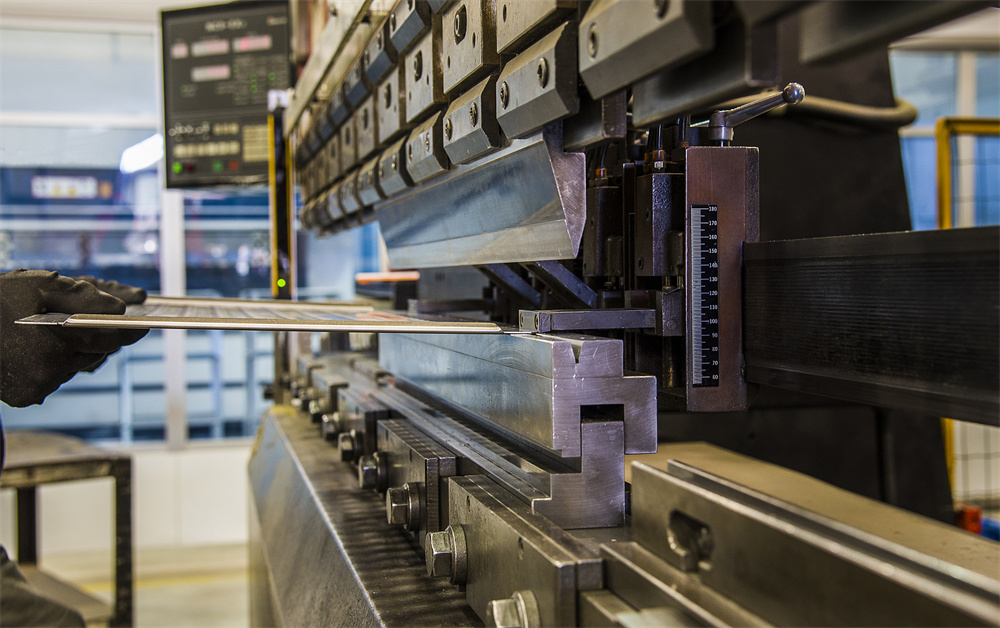
Before diving into specific error codes, it is vital to understand the factors that influence the stability of a press brake’s control system. The CNC unit is the “brain” of the machine, and like any computer, it is sensitive to its surroundings. One of the primary considerations is the quality of the electrical power supply. Voltage fluctuations or electrical noise from nearby heavy machinery can interfere with the low-voltage signals used by encoders and sensors, leading to phantom error codes or erratic axis behavior. Implementing a dedicated voltage stabilizer and ensuring proper grounding are fundamental steps in preventing control system faults.
Environmental conditions also play a significant role. Industrial workshops are often prone to dust, metallic particles, and temperature extremes. Dust accumulation inside the control cabinet can lead to overheating of the CPU or short-circuiting of sensitive PCB components. Modern HARSLE machines utilize sealed cabinets with cooling fans or heat exchangers, but regular filter cleaning is a maintenance task that cannot be overlooked. High ambient temperatures can cause thermal drift in electronic components, resulting in subtle inaccuracies in bending angles before a hard error code is eventually triggered.
Operator interaction and software management are the final pillars of system stability. Many “faults” are actually the result of incorrect parameter entry or a failure to follow the machine’s startup sequence. For instance, if the machine is not properly homed (referenced) after a power cycle, the control system may throw a positioning error because it cannot verify the absolute location of the backgauge or the ram. Furthermore, keeping the control software updated and maintaining backups of the machine parameters is crucial. If a hardware failure occurs, having a recent backup allows for a much faster recovery process.
Technical Details: Common Error Codes and Their Meanings
When a press brake control system encounters an issue, it generates an error code. While specific codes vary between manufacturers (e.g., Delem DA-66T vs. ESA S630), the logic behind them is often similar. Below is a breakdown of common categories of faults and what they typically signify in a technical context.
1. Axis Positioning and Following Errors
These are perhaps the most frequent faults. A “Following Error” occurs when the difference between the commanded position and the actual position (as reported by the encoder) exceeds a pre-set tolerance. This can happen on the Y1/Y2 axes (the ram) or the X/R/Z axes (the backgauge). Causes include mechanical obstruction, lack of lubrication on ball screws or linear guides, or a failing servo drive. If the motor cannot reach the target speed or position due to excessive friction, the control system will halt the machine to prevent damage.
2. Hydraulic Interface and Pressure Faults
The control system communicates with the hydraulic valves via proportional amplifiers. If the CNC commands a specific pressure but the pressure transducer does not report that value within a certain timeframe, a “Pressure Timeout” or “Pressure Fault” is triggered. This could indicate a leak in the hydraulic circuit, a clogged filter, or a malfunctioning proportional valve. In some cases, it may simply be that the oil level is too low or the oil temperature has exceeded the safe operating range, causing the system to lock out for safety.
3. Safety Loop and Emergency Stop Faults
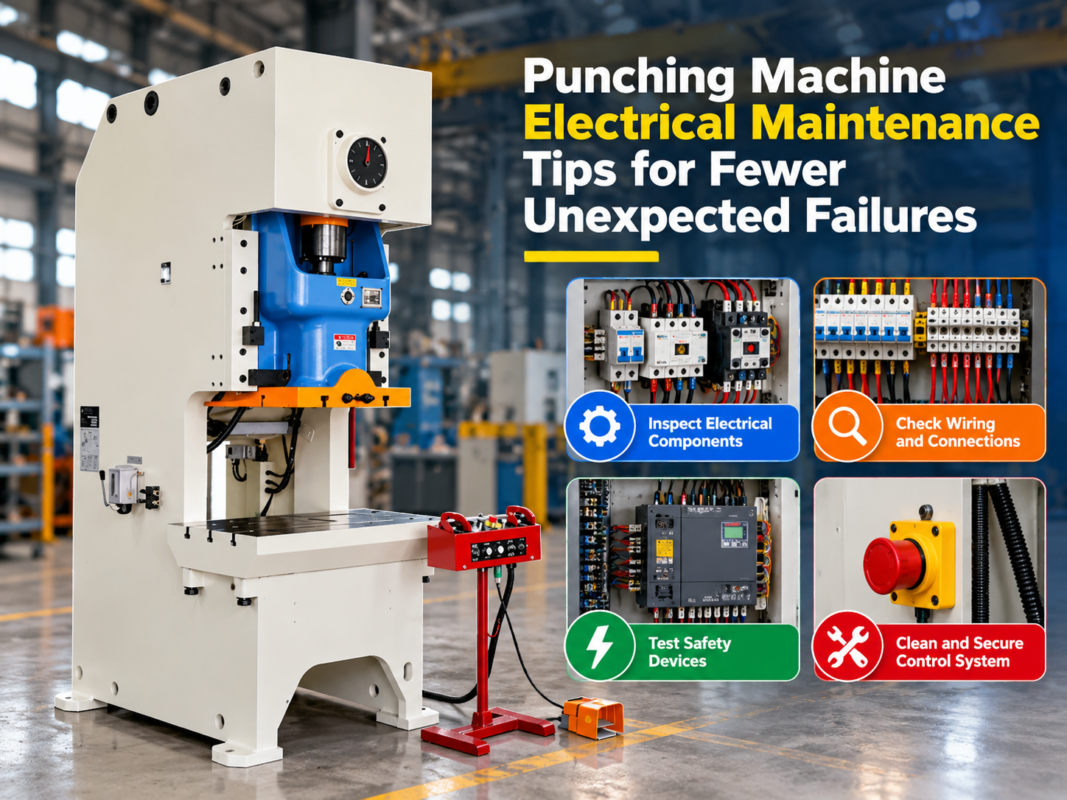
Modern press brakes are equipped with extensive safety systems, including light curtains, laser guards, and emergency stop buttons. If the safety PLC detects a break in the circuit that isn’t expected (e.g., a light curtain misalignment during a high-speed stroke), it will send a fault signal to the main controller. These errors are often displayed as “Safety Circuit Interrupted” or “Emergency Stop Active.” Troubleshooting these requires checking the alignment of optical sensors and ensuring all physical E-stop buttons are released and functioning correctly.
4. Communication and Bus Errors
CNC systems use communication protocols like CANbus, EtherCAT, or Profibus to talk to the various drives and I/O modules. A “Bus Error” or “Communication Failure” suggests that the controller has lost contact with one of its peripherals. This is often caused by a loose cable, a damaged communication wire, or electrical interference. In older machines, oxidation on connector pins is a common culprit that can be resolved with specialized contact cleaner.
| Error Category | Common Code Example | Potential Cause | Quick Check |
|---|---|---|---|
| Positioning | E10 / Following Error | Mechanical binding or drive failure | Check lubrication and linear rails |
| Hydraulic | Pressure Timeout | Faulty transducer or valve | Check oil levels and valve LEDs |
| Communication | CAN Error / Link Down | Damaged cable or noise | Inspect bus cables and shielding |
| Safety | Safety Loop Open | Light curtain misalignment | Verify sensor alignment and E-stops |
| Reference | Ref. Point Not Found | Sensor failure or dirty scale | Clean linear scales and check sensors |
Step-by-Step Quick Checks for Operators
When a fault occurs, following a structured diagnostic path can save significant time. Before calling a service technician, operators should perform these quick checks to identify easily fixable issues.
- Check the Power Supply: Ensure that the main incoming voltage is stable and that all circuit breakers in the electrical cabinet are in the “ON” position. A tripped breaker for a servo drive is a common cause of axis faults.
- Verify the Emergency Stop Status: It sounds simple, but a depressed E-stop button on the foot pedal or a remote station is a frequent cause of “system dead” faults. Cycle all E-stop buttons to ensure they are reset.
- Inspect the Safety Sensors: If the machine won’t move, check the status lights on the laser guards or light curtains. If they are red, the sensors may be misaligned or blocked by a piece of scrap metal or a tool.
- Clean the Linear Scales: For Y-axis errors, the linear encoders (scales) on the side frames may be dirty. Gently cleaning the scales with a lint-free cloth and appropriate cleaner can often resolve positioning errors.
- Restart and Home the Machine: Many software glitches can be resolved by a full power cycle. Turn off the machine, wait 30 seconds, restart, and perform the homing sequence for all axes.
- Check Hydraulic Oil Levels: Low oil can introduce air into the system, leading to erratic pressure readings and control faults. Ensure the reservoir is filled to the correct level.
If these steps do not resolve the issue, the next level of diagnostics involves looking at the I/O (Input/Output) status screen on the CNC controller. This screen shows the real-time state of every sensor and switch on the machine. By comparing the physical state of the machine with the digital state shown on the screen, technicians can pinpoint exactly which component is failing to send a signal.
Selection Advice: Choosing a Reliable Control System
When purchasing a new press brake, the choice of control system is just as important as the mechanical specifications. A reliable control system should not only be powerful but also offer excellent diagnostic tools. HARSLE machines typically feature Delem or ESA controllers, which are industry standards known for their user-friendly interfaces and robust error-logging capabilities.
Consider the following when selecting a control system for your next machine:
- Diagnostic Depth: Does the controller provide clear, descriptive error messages, or just cryptic numbers? Systems that offer graphical troubleshooting guides are highly beneficial for less experienced operators.
- Remote Support Capabilities: Modern CNCs often include Ethernet ports for remote diagnostics. This allows HARSLE technicians to log into your machine from across the world to diagnose software or parameter issues, drastically reducing the need for on-site visits.
- Hardware Availability: Choose a system with widely available spare parts. Delem and ESA components are stocked globally, ensuring that if a screen or a module fails, you won’t be waiting weeks for a replacement.
- Ease of Calibration: The system should allow for straightforward calibration of the axes and the hydraulic valves. A system that is easy to calibrate is easier to maintain in the long run.
By investing in a high-quality control system integrated into a HARSLE press brake, you are securing a machine that is designed for longevity. The synergy between precision hardware and intelligent software minimizes the frequency of faults and simplifies the resolution process when they do occur.
Frequently Asked Questions (FAQ)
What should I do if my press brake shows a ‘Y-axis out of sync’ error?
This error usually indicates a discrepancy between the Y1 and Y2 cylinders. First, check for any mechanical obstructions on one side of the ram. Next, ensure the linear scales are clean and the cables are securely connected. If the problem persists, the proportional valves may need recalibration or cleaning to ensure they are delivering equal oil flow to both cylinders.
Why does my CNC controller freeze during operation?
A freezing controller is often related to heat or electrical noise. Check that the cooling fans in the electrical cabinet are working and that the filters are clean. If the environment is very noisy (electrically), ensure that the communication cables are shielded and that the machine’s grounding rod is properly installed.
Can I clear error codes myself, or do I need a technician?
Most minor error codes can be cleared by the operator once the underlying cause (like a blocked sensor or an E-stop) is addressed. However, if the error involves internal parameters or hardware failure within the CNC unit, a qualified technician should be consulted to avoid accidental damage to the machine’s logic.
How often should I back up my machine parameters?
It is best practice to back up your parameters whenever a significant change is made to the machine’s configuration or at least once every six months. Store the backup on a secure USB drive and in a cloud-based location. This is your insurance policy against a total control system failure.
Conclusion
Navigating Press Brake Control System Faults: Error Codes, Causes, and Quick Checks is a vital skill for anyone involved in modern metal fabrication. While the complexity of CNC systems can be daunting, most issues stem from a few common sources: environmental factors, mechanical wear, or simple sensor misalignments. By understanding the language of error codes and maintaining a disciplined approach to machine care, you can ensure that your HARSLE press brake continues to deliver precision and productivity for years to come.
Regular maintenance, operator training, and a proactive approach to troubleshooting are the keys to minimizing downtime. Remember that the control system is designed to protect the machine and the operator; an error code is not just a nuisance, but a safeguard. By treating these alerts with the technical attention they deserve, you maintain the integrity of your fabrication process and the safety of your workplace. For more advanced technical support or to explore our range of high-reliability CNC press brakes, contact HARSLE today.