CNC Press Brake Programming Guide for Faster Production Setup: A Comprehensive Technical Manual


Technical Overview of CNC Press Brake Programming
In the modern era of precision metal fabrication, the efficiency of a workshop is no longer determined solely by the raw power of the machinery, but by the sophistication of its control systems. CNC Press Brake Programming Guide for Faster Production Setup is essential for any facility looking to minimize downtime and maximize throughput. Traditionally, press brake operation required manual adjustments of mechanical stops and trial-and-error bending. Today, high-performance CNC systems, such as those integrated into HARSLE machines, allow for complex multi-stage bending sequences to be programmed in minutes rather than hours.
The evolution of CNC programming has moved from simple numerical input to advanced graphical interfaces. Modern controllers like the Delem DA-66T or DA-69T provide 2D and 3D visualization, allowing operators to see a digital twin of the bending process before the first piece of metal is even touched. This transition to visual programming is a cornerstone of achieving a faster production setup. By simulating the bend sequence, the software can automatically detect potential collisions between the workpiece and the machine frame or tooling, significantly reducing the risk of costly errors.
Furthermore, the integration of offline programming software has revolutionized the workflow. Engineers can now prepare bending programs in the office while the machine is busy running a different job. This decoupling of programming and production ensures that the CNC press brake is always earning revenue. When the new job is ready, the operator simply loads the file via USB or network connection, installs the specified tooling, and begins production. This seamless transition is the hallmark of a high-efficiency fabrication environment.
Technical proficiency in CNC programming also involves understanding the interaction between the machine’s axes. A standard high-end CNC press brake typically features at least 4+1 axes (Y1, Y2, X, R, and Crowning). Advanced models may include Z1 and Z2 axes for lateral backgauge movement or even 6-axis backgauges for complex tapered bends. Mastering how to program these axes in concert is the key to handling intricate geometries with minimal manual intervention.
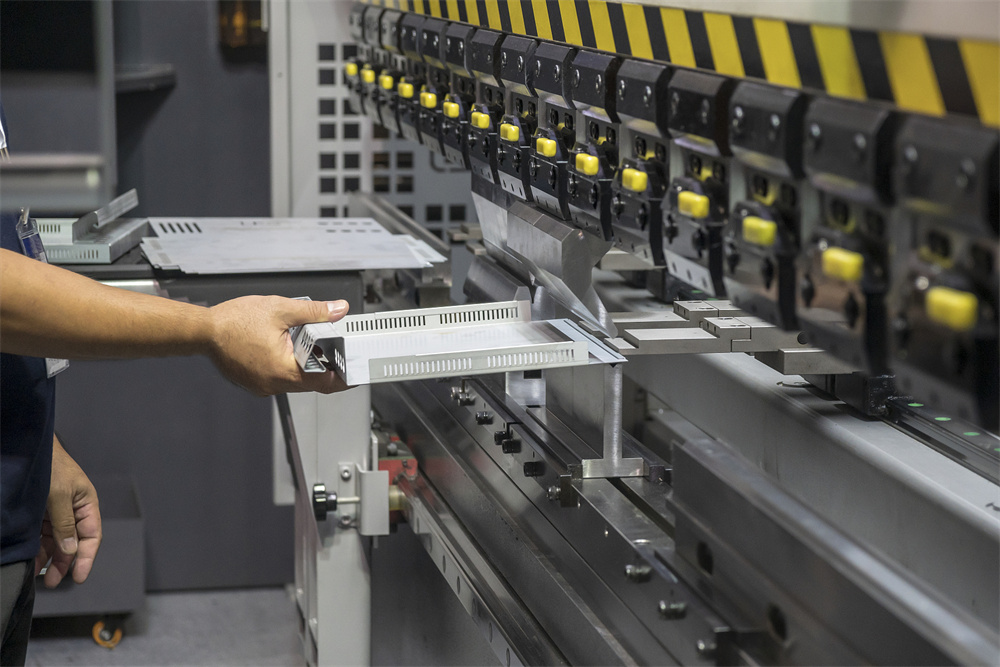
Core Parameters for CNC Press Brake Programming
To achieve a CNC Press Brake Programming Faster Production Setup, one must first master the core parameters that dictate the machine’s behavior. The most critical parameter is the Bending Force (Tonnage). Programming the correct tonnage ensures that the machine provides enough pressure to deform the metal without overloading the frame or damaging the tooling. CNC systems calculate this automatically based on material type, thickness, and V-die opening, but a skilled programmer must verify these values to ensure safety and precision.
Another vital parameter is the Backgauge Position (X-axis). The X-axis determines the flange length of the bend. In a fast-setup environment, the backgauge must move rapidly and accurately to its programmed position. Modern CNC systems allow for ‘retract’ settings, where the backgauge pulls away slightly just before the bend is completed to prevent the material from pinching against the fingers, which is crucial for maintaining accuracy in high-speed operations.
The Stroke Depth (Y-axis) is what determines the final angle of the bend. Because different materials exhibit different levels of springback, the CNC program must account for the specific metallurgical properties of the workpiece. High-end controllers feature material libraries where operators can store springback coefficients for various grades of stainless steel, aluminum, and carbon steel. By selecting the correct material profile, the programmer reduces the need for test bends, leading directly to a faster production setup.
Finally, Crowning (V-axis) compensation is essential for long workpieces. When a press brake applies force, the bed and the ram naturally deflect slightly in the center. Without compensation, this results in a ‘canoe’ effect where the angle in the middle of the part is wider than at the ends. CNC-controlled hydraulic or mechanical crowning systems automatically adjust the bed’s profile based on the programmed tonnage and length, ensuring a perfectly straight bend across the entire piece without manual shimming.
Calculation Method for Precision Bending
Accurate calculations are the foundation of any successful CNC press brake program. The most fundamental calculation is the Bend Allowance (BA) and Bend Deduction (BD). These values determine the developed length of the flat sheet required to produce a finished part with specific dimensions. The formula for Bend Deduction is: BD = 2 * (R + T) * tan(A/2) – BA, where R is the inside radius, T is material thickness, and A is the bend angle. However, most modern CNC controllers simplify this by using the K-Factor.
The K-Factor is a ratio that represents the location of the neutral axis—the layer of the metal that neither stretches nor compresses during the bend. For most standard air bending applications, a K-factor of 0.33 to 0.45 is used. Programming the correct K-factor into the CNC system allows the software to calculate the exact backgauge positions for every flange, ensuring that the final part dimensions meet the engineering specifications on the first try.
Tonnage calculation is another critical step. The standard formula for air bending is: P = (650 * S^2 * L) / V, where P is pressure in tons, S is material thickness in mm, L is the length of the bend in meters, and V is the V-die opening width. For example, bending 3mm mild steel over a 24mm V-die requires approximately 25 tons per meter. If the programmer selects a V-die that is too small, the required tonnage skyrockets, potentially damaging the machine. Conversely, a V-die that is too large makes it difficult to achieve tight radii and small flanges.
To speed up the setup, programmers should utilize the machine’s built-in calculation tools. Most HARSLE CNC controllers allow the operator to input the desired final angle and flange length, and the software automatically computes the Y-axis depth and X-axis position. By understanding the underlying physics, the programmer can fine-tune these automated suggestions to account for specific batch variations in material hardness or thickness.
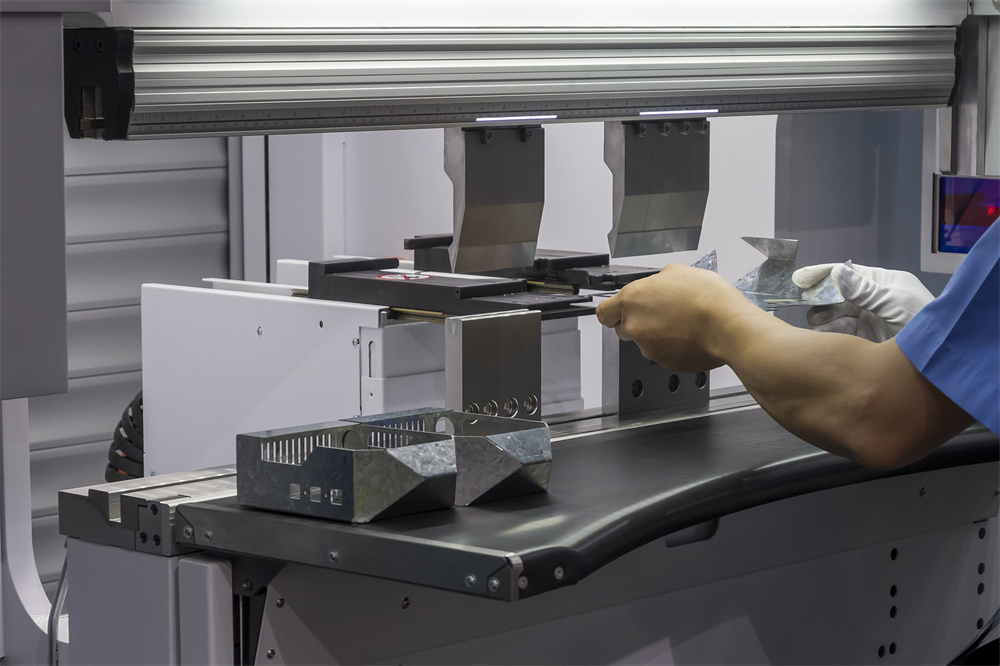
Parameter Table for Standard Bending Operations
The following table provides a reference for common bending parameters using mild steel (450 MPa tensile strength). This table is a starting point for CNC Press Brake Programming Faster Production Setup, helping operators quickly select the right V-die and estimate tonnage requirements.
| Material Thickness (mm) | Recommended V-Opening (mm) | Min. Flange Length (mm) | Inside Radius (mm) | Tonnage per Meter (T/m) |
|---|---|---|---|---|
| 1.0 | 8 | 5.5 | 1.3 | 7 |
| 1.5 | 12 | 8.5 | 2.0 | 9 |
| 2.0 | 16 | 11.5 | 2.6 | 13 |
| 3.0 | 24 | 17.0 | 4.0 | 20 |
| 4.0 | 32 | 22.0 | 5.3 | 32 |
| 5.0 | 40 | 28.0 | 6.7 | 40 |
| 6.0 | 50 | 35.0 | 8.5 | 48 |
| 8.0 | 63 | 45.0 | 10.5 | 70 |
| 10.0 | 80 | 55.0 | 13.5 | 85 |
Note: The recommended V-opening is typically 6 to 8 times the material thickness for materials up to 3mm, and 8 to 12 times for thicker plates. Using a larger V-opening reduces the required tonnage and the risk of surface marking but increases the minimum flange length and the inside bend radius.
Common Engineering Mistakes in Programming
One of the most frequent mistakes in CNC press brake programming is incorrect V-die selection. Choosing a V-die that is too narrow for the material thickness leads to excessive tonnage, which can cause ‘ram drift’ or even crack the die. Conversely, using a V-die that is too wide for a small flange will result in the material slipping into the die before the bend begins, leading to inaccurate flange lengths. A faster production setup requires the programmer to match the tooling to the part geometry perfectly in the software before the physical setup begins.
Another common error is ignoring the bend sequence. In complex parts with multiple bends, the order in which bends are performed is critical. A poor sequence can result in the part hitting the ram or the backgauge during the second or third bend. Modern CNC controllers offer ‘auto-sequence’ features, but these are not infallible. Programmers should always manually review the simulation to ensure there is sufficient clearance for the operator’s hands and the workpiece throughout the entire cycle.
Neglecting springback compensation is a third major pitfall. Every material has an elastic limit; when the pressure is released, the metal will ‘spring back’ toward its original flat shape. If the program is set exactly to 90 degrees, the resulting part might be 92 or 93 degrees. Experienced programmers use the CNC’s angle correction database to over-bend the part slightly (e.g., to 88 degrees) so that it relaxes into the perfect 90-degree angle. Failing to account for this leads to repetitive adjustments and wasted material.
Finally, poor backgauge finger placement can lead to tapered bends or inconsistent parts. If the backgauge fingers are not positioned to support the material evenly, the sheet may sag or shift during the high-speed approach of the ram. Programmers must ensure that the Z-axis (lateral) positions of the fingers provide stable support, especially for wide or thin sheets. In a CNC Press Brake Programming Faster Production Setup, these details are handled in the software to prevent physical trial-and-error on the shop floor.
Selection Checklist for Faster Production Setup
- CNC Controller Capability: Does the controller support 3D visualization and offline programming? (e.g., Delem DA-66T or higher).
- Tooling Library: Is there a comprehensive digital library of all available punches and dies to allow for accurate collision detection?
- Material Database: Does the system include pre-configured springback and K-factor data for the specific materials used in your shop?
- Automatic Crowning: Is the machine equipped with a CNC-controlled crowning system to eliminate manual shimming for long parts?
- Multi-Axis Backgauge: Does the backgauge have at least 4 axes (X, R, Z1, Z2) to handle complex shapes without manual repositioning?
- Quick-Change Tooling: Are the clamps designed for rapid tool changes (e.g., Wila-style or hydraulic clamping)?
- Safety Integration: Is the laser safety system integrated with the CNC to allow for high-speed ram approach without compromising operator safety?
- Network Connectivity: Can programs be transferred instantly from the engineering office to the machine via LAN or Wi-Fi?
Frequently Asked Questions (FAQ)
How does offline programming improve production speed?
Offline programming allows the engineering team to create, simulate, and optimize bending sequences on a computer while the press brake is still running a previous job. This eliminates the ‘machine idle time’ usually spent by the operator typing in coordinates and testing sequences at the controller. Once the job is ready, the operator simply loads the program and starts bending.
What is the difference between air bending and bottoming in CNC programming?
Air bending is the most common method where the material only touches the two edges of the V-die and the tip of the punch. The angle is determined by the depth of the punch. Bottoming involves pressing the material fully into the V-die. Air bending is faster and more versatile for CNC machines because one set of tools can produce multiple angles by simply changing the programmed depth.
Why is the R-axis important for setup?
The R-axis controls the vertical height of the backgauge fingers. This is crucial when bending parts with pre-existing flanges that would otherwise hit the backgauge. A CNC-controlled R-axis allows the machine to automatically adjust the finger height between steps, preventing manual adjustments and significantly speeding up the production of complex parts.
Can I program a CNC press brake for tapered bends?
Yes, but this requires a backgauge with independent X-axis movement (often called X1 and X2). By programming one side of the backgauge to be further forward than the other, the machine can create accurate tapered bends. This is commonly used in the production of poles, hoppers, and specialized architectural components.
How often should I update my material library?
You should update your material library whenever you switch suppliers or receive a new batch of material with significantly different properties. Even within the same grade, variations in hardness and thickness can affect springback. Regular calibration of the CNC’s material database ensures that the ‘first part is a good part,’ which is the ultimate goal of a faster production setup.