Press Brake Electrical Faults: Common Error Codes and Repair Checks


Introduction to Press Brake Electrical Systems
In the modern metal fabrication industry, the press brake stands as a cornerstone of production efficiency. As technology has evolved, these machines have transitioned from simple mechanical devices to highly sophisticated CNC (Computer Numerical Control) systems. While this evolution has significantly increased precision and repeatability, it has also introduced a layer of complexity: the electrical system. Understanding Press Brake Electrical Faults: Common Error Codes Repair Checks is essential for any operator or maintenance technician aiming to minimize downtime and maintain peak performance.
HARSLE, a leader in the manufacturing of high-quality metal fabrication machinery, recognizes that even the most robust machines can encounter electrical hiccups due to environmental factors, wear and tear, or improper handling. The electrical architecture of a press brake involves a delicate synergy between the CNC controller, servo drives, linear encoders, safety sensors, and the hydraulic valves. When one component fails to communicate correctly, the entire production line can grind to a halt. This guide is designed to provide a deep dive into diagnosing and resolving these issues effectively.
The primary goal of this article is to empower users with the knowledge to identify common error codes and perform systematic repair checks. By mastering these technical aspects, facilities can reduce their reliance on external service technicians for minor issues, thereby saving time and costs. Whether you are dealing with a Delem, Cybelec, or ESA controller, the fundamental principles of electrical troubleshooting remain remarkably consistent across the industry.
Key Considerations for Electrical Troubleshooting
Before diving into specific error codes, it is crucial to establish a framework for safety and systematic diagnosis. Electrical troubleshooting on industrial machinery involves high-voltage components and high-pressure hydraulics, making safety the absolute priority. Always adhere to Lockout-Tagout (LOTO) procedures before opening electrical cabinets or touching exposed wiring. Never attempt to bypass safety circuits, as this can lead to catastrophic machine failure or personal injury.
Another key consideration is the environment in which the press brake operates. Metal fabrication shops are often filled with conductive dust, fluctuating temperatures, and vibration. These factors are the primary enemies of electrical components. Dust accumulation on circuit boards can cause short circuits, while excessive heat can lead to premature failure of servo drives and power supplies. Regular cleaning and ensuring proper ventilation within the electrical cabinet are proactive steps that prevent many common faults.
Furthermore, understanding the logic of your specific CNC system is vital. Most modern controllers provide a diagnostic screen that lists active inputs and outputs (I/O). Learning how to read these I/O maps allows you to see exactly where a signal is being lost. For instance, if the machine refuses to move, the I/O screen might show that the ‘Emergency Stop’ signal is active, even if the physical button is released, pointing toward a faulty contact block or a broken wire in the circuit.
Technical Details: Common Error Codes and Their Meanings
1. CNC Controller Communication Errors
One of the most frequent issues encountered is a communication failure between the CNC unit and the peripheral devices (like the backgauge drives or the main CPU). These are often displayed as ‘Link Error’ or ‘Bus Failure’. In many HARSLE machines and other high-end models, this is usually caused by a loose RS232, Ethernet, or CANbus cable. Vibration over years of operation can slowly back these connectors out of their sockets.
To repair this, start by checking the physical integrity of all communication cables. Ensure they are shielded and routed away from high-voltage power lines to prevent electromagnetic interference (EMI). If the cables are secure, the fault may lie in the communication card of the controller itself, which might require a firmware update or hardware replacement.
2. Servo Drive Faults (Overload and Feedback)
Servo drives are responsible for the precise movement of the X, R, Z, and Y axes. Common error codes include ‘Overload’, ‘Overcurrent’, or ‘Encoder Error’. An ‘Overload’ code often suggests a mechanical bind—perhaps the backgauge is hitting an obstruction or the lubrication on the ball screws has dried up, forcing the motor to work harder than intended.
An ‘Encoder Error’ typically points to the feedback loop. The CNC needs to know exactly where the axis is at all times. If the encoder cable is damaged or if the glass scale is dirty, the signal becomes garbled. Cleaning the linear scales with specialized solutions and checking the encoder cable for continuity are the standard repair checks for these faults.
3. Emergency Stop and Safety Circuit Interruptions
If the machine is powered on but the hydraulics won’t engage, the culprit is often the safety string. Error codes like ‘E-Stop Active’ or ‘Safety Relay Fault’ are common. This circuit is a series of normally closed contacts including the E-stop buttons, light curtains, and side gate interlocks. If any one of these opens, the machine enters a safe state.
Troubleshooting involves using a multimeter to trace the 24V DC signal through the series. Start at the power source and check each component in the chain. Often, a side gate has vibrated loose, or a light curtain is misaligned. In some cases, the safety relay itself may have welded contacts and will need to be replaced to restore functionality.
4. Hydraulic Valve Solenoid Failures
While the valves are hydraulic, they are actuated electrically. If the ram (Y-axis) fails to move or moves unevenly, the CNC might throw a ‘Valve Feedback Error’. This happens when the electrical signal sent to the proportional valve does not result in the expected movement detected by the linear scales. Check the solenoid coils for resistance; a burnt-out coil will show an open circuit on a multimeter. Also, inspect the DIN connectors on the valves for moisture or corrosion, which can cause intermittent signals.
Selection Advice: Choosing Reliable Electrical Components
When purchasing a new press brake or upgrading an existing one, the quality of the electrical components should be a top priority. Machines equipped with world-class brands like Schneider, Siemens, or Omron tend to have much higher reliability and easier-to-find replacement parts. HARSLE integrates these high-tier components to ensure that users have access to global support networks.
Consider the following checklist when evaluating the electrical system of a press brake:
- Cabinet Organization: Are the wires labeled and neatly channeled? A messy cabinet is a nightmare to troubleshoot.
- Cooling Systems: Does the electrical cabinet have an integrated fan or air conditioner? This is vital for hot climates.
- Diagnostic Software: Does the CNC offer detailed error descriptions rather than just cryptic numbers?
- Component Availability: Are the relays, contactors, and drives standard off-the-shelf items, or are they proprietary?
- Surge Protection: Is the machine equipped with surge protectors to guard against unstable power grids?
Investing in a machine with a well-designed electrical layout reduces the long-term cost of ownership. While a cheaper machine might save money upfront, frequent electrical faults and the inability to source parts can lead to significant losses in the long run. Always ask the manufacturer for an electrical schematic; a reputable company will provide clear, detailed drawings that are essential for future repairs.
Maintenance Checks for Preventing Electrical Faults
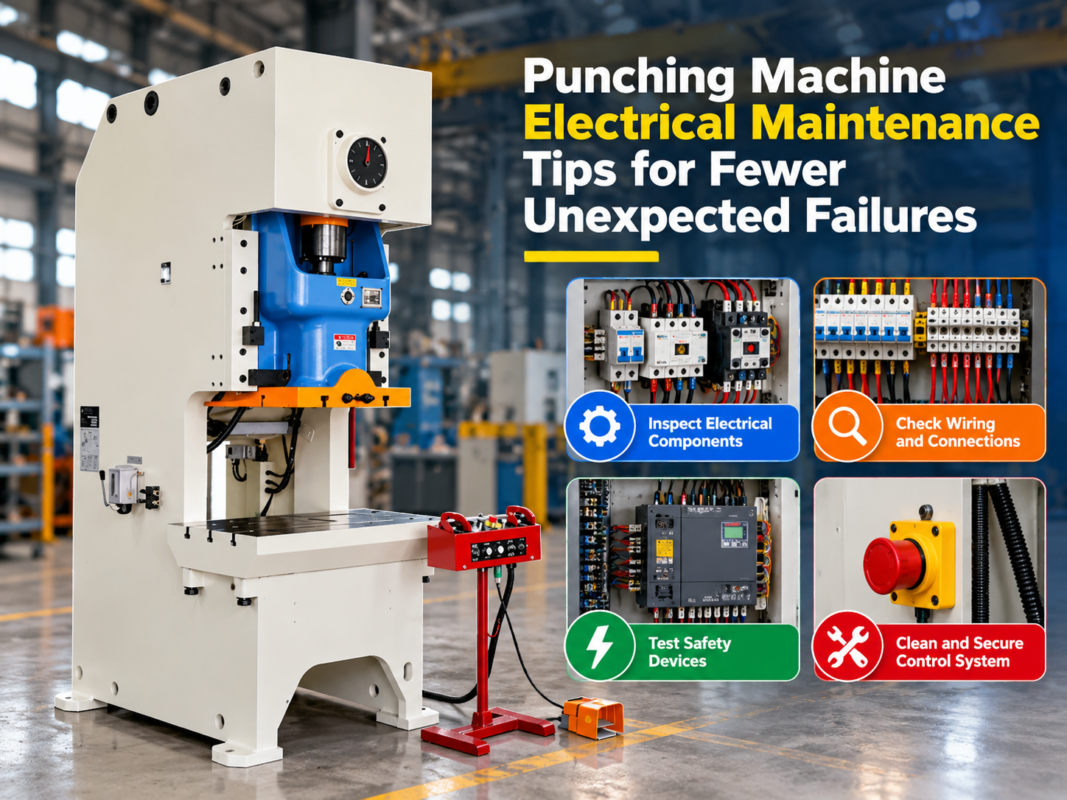
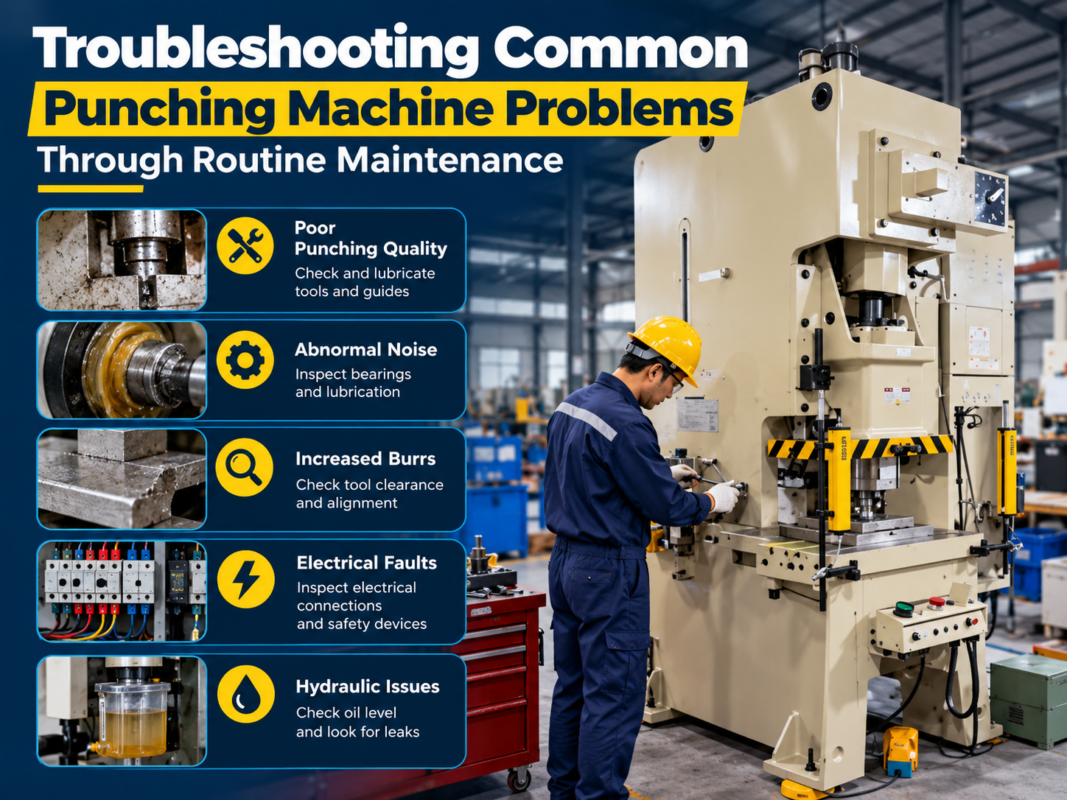
Proactive maintenance is the best way to avoid the headache of Press Brake Electrical Faults: Common Error Codes Repair Checks. Establishing a monthly routine can catch issues before they cause a breakdown. Start by inspecting all external cables for signs of wear, especially those that move with the backgauge or the ram. Frayed insulation can lead to short circuits or intermittent signals that are notoriously difficult to diagnose.
Next, check the tightness of terminal blocks. Industrial machines vibrate, and over time, screw terminals can loosen. A loose connection creates resistance, which generates heat and can eventually melt the wire or the terminal itself. Use a thermal camera if available to scan the electrical cabinet while the machine is under load; “hot spots” usually indicate loose connections or failing components.
Finally, ensure that the grounding (earthing) of the machine is robust. Poor grounding is a leading cause of “ghost” errors—faults that appear and disappear without a clear cause. A dedicated ground rod for the press brake is often recommended to isolate it from electrical noise generated by other equipment in the shop, such as welding machines or plasma cutters.
Frequently Asked Questions (FAQ)
Q1: Why does my press brake show an ‘Axis Lag’ error?
An axis lag error occurs when the difference between the commanded position and the actual position (as reported by the encoder) exceeds a pre-set limit. This is often caused by mechanical friction, a failing servo motor, or a parameter setting that is too tight. Check for mechanical obstructions first, then inspect the servo drive’s tuning parameters.
Q2: How often should I back up the CNC parameters?
You should back up your parameters immediately after the machine is commissioned and after any major repair or adjustment. Electrical surges or battery failures in the CNC unit can wipe the memory, and having a USB backup can save days of manual reconfiguration.
Q3: What should I do if the screen stays black upon startup?
First, check the main power supply and the fuses/circuit breakers inside the cabinet. If the cabinet has power, check the 24V DC power supply that feeds the CNC unit. If the power supply is working, the issue may be the backlight of the screen or the internal CPU board.
Q4: Can I replace a faulty servo drive with a different brand?
It is highly discouraged. Servo drives must be compatible with the CNC’s communication protocol and the motor’s feedback type. It is always best to replace a drive with the exact same model or a manufacturer-approved successor to ensure seamless integration.
Q5: Why are my light curtains triggering for no reason?
This is often due to misalignment caused by floor vibrations or dust on the lenses. Clean the lenses with a soft cloth and check the alignment indicators on the units. Also, check for reflective surfaces nearby that might be bouncing the infrared beam incorrectly.
Conclusion
Navigating the complexities of Press Brake Electrical Faults: Common Error Codes Repair Checks requires a blend of patience, technical knowledge, and the right tools. By understanding the common pitfalls—from communication errors to servo overloads—operators can maintain a higher level of machine uptime. HARSLE remains dedicated to providing not only the machinery but also the technical insights necessary for modern fabricators to succeed.
Remember that while many electrical issues can be resolved with simple checks, complex internal failures should be handled by qualified professionals. Regular maintenance, a clean environment, and a systematic approach to troubleshooting are your best defenses against the unexpected. By treating the electrical system with the same care as the mechanical and hydraulic components, you ensure that your press brake remains a reliable asset for years to come. Keep your manuals handy, your cabinet clean, and your safety protocols strictly enforced to master the art of press brake maintenance.