Comprehensive Guide: How to Fix Excessive Dross on a Laser Cutting Machine


Introduction to Laser Cutting Dross Challenges
In the world of precision metal fabrication, achieving a clean, burr-free edge is the ultimate hallmark of quality. However, one of the most common hurdles operators face is the accumulation of dross—also known as slag—on the underside of the workpiece. Dross consists of re-solidified molten metal that failed to be completely blown out of the kerf during the cutting process. When you need to fix excessive dross on a laser cutting machine, you are essentially troubleshooting a complex balance of thermal energy, gas dynamics, and mechanical precision.
Excessive dross is more than just an aesthetic issue; it is a productivity killer. It necessitates secondary finishing processes such as grinding or deburring, which increase labor costs and extend lead times. For high-volume production environments using HARSLE fiber laser machines, minimizing dross is critical for maintaining a competitive edge. Understanding the root causes—ranging from incorrect focal positions to improper gas pressures—is the first step toward achieving a ‘drop-out’ part that requires zero post-processing.
This guide provides an in-depth technical analysis of why dross occurs and offers actionable solutions to optimize your laser cutting parameters. Whether you are working with carbon steel, stainless steel, or aluminum, the principles of fluid dynamics and thermodynamics remain the same. By the end of this article, you will have a comprehensive checklist to diagnose and eliminate dross, ensuring your laser cutting machine operates at peak efficiency.

Key Considerations Before Troubleshooting Dross
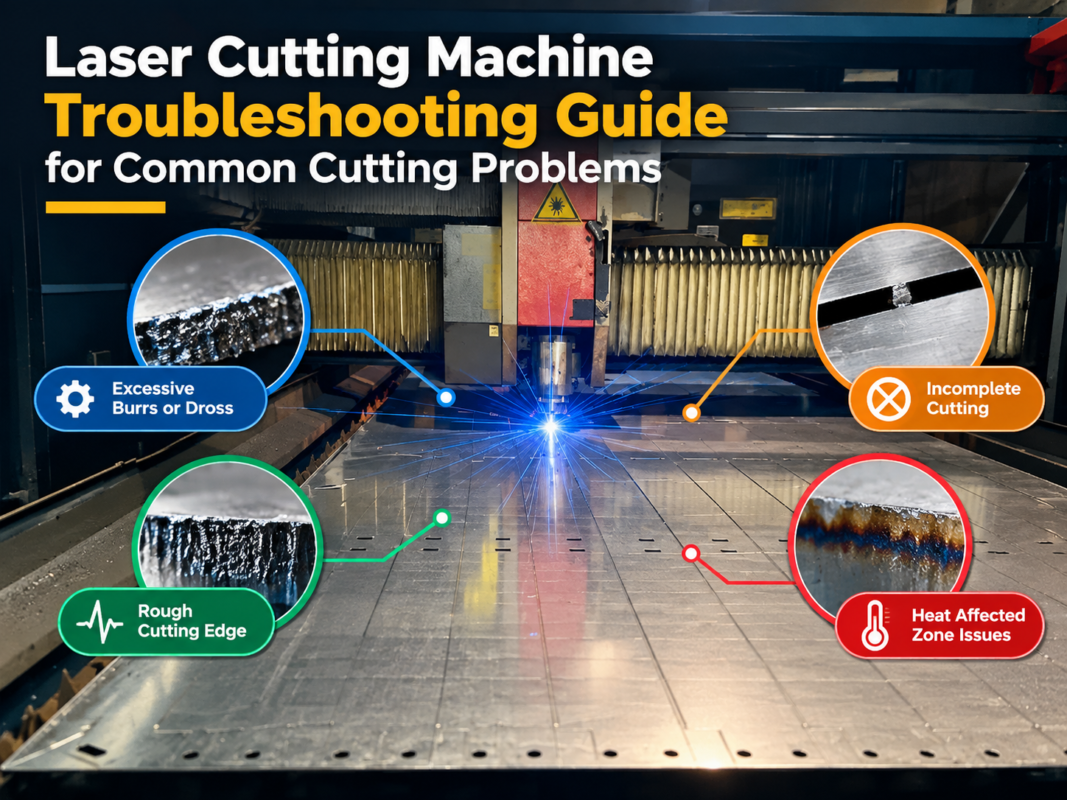
Before diving into the technical settings, it is vital to understand that dross is categorized into two main types: high-speed dross and low-speed dross. High-speed dross is typically thin, hard, and difficult to remove, often appearing as a continuous bead along the bottom edge. Low-speed dross, conversely, is thick, porous, and usually easier to knock off, often resulting from excessive heat accumulation in the kerf.
The material type plays a significant role in how dross forms. For instance, carbon steel is often cut using oxygen as an assist gas. This process relies on an exothermic reaction where the oxygen actually burns the metal, adding heat to the process. Stainless steel and aluminum are typically cut using nitrogen or compressed air, which acts as a shielding and cooling agent, mechanically blowing the molten metal out of the cut. Because these processes differ fundamentally, the strategy to fix excessive dross on a laser cutting machine must be tailored to the specific material and gas combination.
Another key consideration is the quality of the raw material. Scaly or rusty hot-rolled steel, or stainless steel with a poor surface finish, can interfere with the laser’s absorption and the assist gas’s flow. Even the best-tuned machine will struggle to produce a clean cut on low-quality or contaminated material. Always ensure your sheets are clean and stored in a dry environment to prevent oxidation before cutting.
Technical Details: Optimizing Parameters to Eliminate Dross
1. Adjusting the Focal Position
The focal position is perhaps the most critical variable in laser cutting. It determines the energy density at the point of impact and the shape of the kerf. If the focus is too high, the top of the cut receives too much energy, widening the kerf and slowing down the melt removal at the bottom. If the focus is too low, the laser may not penetrate efficiently, leaving thick dross.
For nitrogen cutting of stainless steel, the focus is generally set near the bottom of the plate (negative focus). This creates a wider kerf at the bottom, allowing the high-pressure nitrogen to flush out the molten material effectively. For oxygen cutting of thin carbon steel, the focus is usually at or slightly above the surface (zero or positive focus). If you notice dross, try adjusting the focus in small increments (0.5mm) to see if the edge quality improves.
2. Balancing Cutting Speed
Speed is the second pillar of dross control. As mentioned, cutting too fast doesn’t give the assist gas enough time to clear the melt, leading to high-speed dross. Cutting too slowly allows heat to build up excessively, melting more material than necessary and creating a heavy, globular dross. To fix excessive dross on a laser cutting machine, perform a ‘speed ramp’ test. Start at the manufacturer’s recommended speed and increase/decrease by 5-10% until the dross disappears. A perfect cut usually produces sparks that trail slightly behind the nozzle at a 10-15 degree angle.
3. Assist Gas Pressure and Purity
The assist gas is responsible for clearing the molten metal. If the pressure is too low, the metal remains in the kerf and re-solidifies. This is common in nitrogen cutting where pressures can reach 15-20 bar. If you see dross on stainless steel, the first step is often to increase nitrogen pressure. However, in oxygen cutting, too much pressure can actually cause a ‘re-entry’ of the flame, leading to a jagged edge and dross. Furthermore, gas purity is essential. Nitrogen should be at least 99.99% pure; even a small percentage of oxygen contamination can cause yellowing and dross on stainless steel edges.
4. Nozzle Selection and Alignment
The nozzle directs the assist gas into the kerf. A damaged or off-center nozzle will cause turbulent gas flow, which is a leading cause of inconsistent dross. If the dross is only on one side of the part, your nozzle is likely misaligned. Always perform a ‘tape test’ to ensure the laser beam is perfectly centered in the nozzle orifice. Additionally, ensure you are using the correct nozzle diameter for the material thickness; a nozzle that is too small won’t provide enough gas volume, while one that is too large will lose pressure intensity.
Advanced Troubleshooting: Optics and Beam Quality
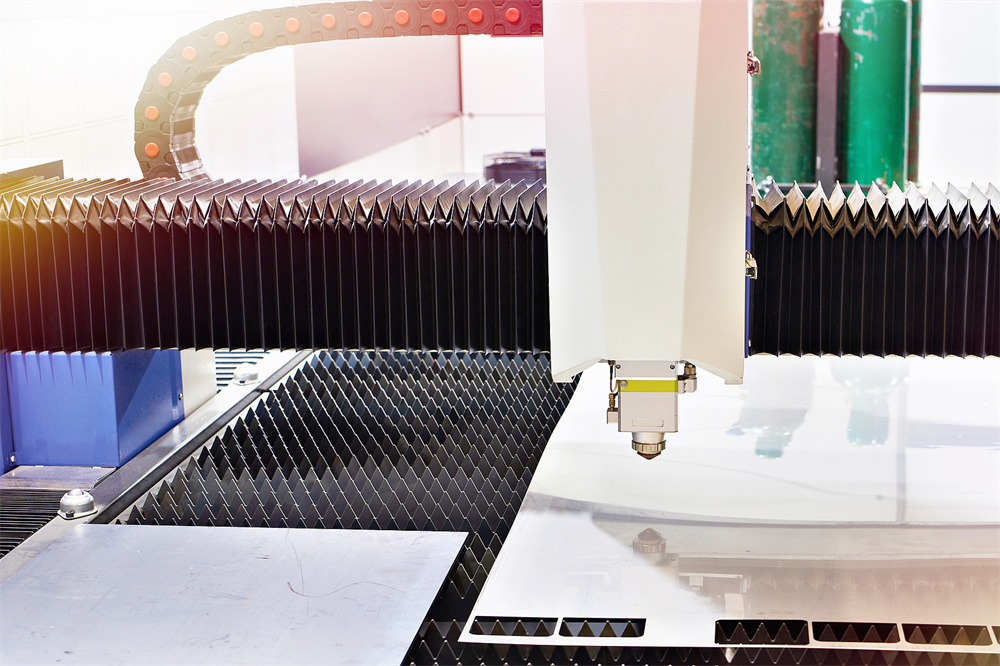
If adjusting speed, focus, and gas doesn’t fix excessive dross on a laser cutting machine, the problem may lie deeper within the optical system. Fiber lasers rely on a series of lenses and protective windows to deliver a clean beam. A contaminated protective window (cover glass) can scatter the laser beam, reducing its power density and causing the beam to ‘bloom.’ This results in a wider, less efficient cut that naturally produces more dross.
Check the protective window for any dust, spots, or ‘burn-in’ marks. Even a microscopic speck of dust can absorb laser energy, heat up, and distort the beam. Similarly, ensure the collimator and focusing lenses are in good condition. In high-power machines (12kW and above), thermal lensing can occur, where the optics heat up and shift the focal point during a long cut. Modern HARSLE machines often include monitoring systems to detect these shifts, but manual inspection remains a vital part of maintenance.
The Role of Laser Power
While it might seem intuitive to just ‘turn up the power’ to fix dross, this isn’t always the solution. Excessive power can lead to over-melting, especially on sharp corners or small features where the machine slows down. This is where ‘power ramping’ or ‘frequency modulation’ comes into play. By reducing power or pulsing the laser during deceleration, you can prevent the heat-affected zone (HAZ) from becoming too large, thereby eliminating dross in complex geometries.
Selection Advice: Choosing the Right Machine for Dross-Free Results
When purchasing a laser cutting machine, the goal is to match the machine’s capabilities with your primary material thickness. A machine that is constantly pushed to its maximum capacity will be much harder to tune for dross-free results. For example, if you primarily cut 20mm stainless steel, a 12kW or 15kW fiber laser will provide much cleaner results than a 6kW machine, as the higher power allows for faster speeds and better gas dynamics.
Look for machines with advanced CNC controllers that offer ‘Gas Mixing’ capabilities. Mixing a small amount of oxygen with nitrogen can sometimes help in cutting thick aluminum or certain grades of carbon steel to achieve a smoother finish. Additionally, automated nozzle changers and cleaning stations ensure that the nozzle remains in optimal condition without requiring constant operator intervention, which is a major factor in maintaining consistent edge quality over long shifts.
Maintenance Checklist for Dross Prevention
- Daily: Clean the protective window and check nozzle centering.
- Weekly: Inspect the nozzle for wear or slag buildup; calibrate the height sensor.
- Monthly: Check the gas delivery system for leaks and ensure filters are clean.
- Quarterly: Inspect the beam path and perform a full power check to ensure no degradation in the fiber source.
Frequently Asked Questions (FAQ)
Why do I get dross only on the corners of my parts?
This is usually due to the machine slowing down to navigate the corner while the laser power remains constant. The increased ‘dwell time’ causes over-melting. To fix this, use the ‘Power Mapping’ or ‘Corner Cooling’ features on your HARSLE controller to reduce power or increase gas flow during cornering.
Can assist gas purity really cause dross?
Absolutely. In nitrogen cutting, even 0.1% oxygen contamination can cause an exothermic reaction that creates a thin layer of oxide and dross. If you are using a nitrogen generator, ensure the membranes are functioning correctly. If using cylinders, ensure you are using ‘Laser Grade’ gas.
What is the difference between ‘Speed Dross’ and ‘Power Dross’?
Speed dross occurs when the machine moves too fast for the melt to be cleared, resulting in a hard, thin bead. Power dross (or slow dross) occurs when there is too much heat (too much power or too slow speed), resulting in a thick, bubbly slag that is often welded to the bottom of the plate.
How does nozzle height affect dross?
The nozzle height (stand-off distance) affects the pressure and stability of the gas column. If the nozzle is too far from the plate, the gas disperses before it can effectively enter the kerf. Generally, a stand-off distance of 0.5mm to 1.0mm is ideal for high-pressure cutting.
| Problem Type | Likely Cause | Recommended Fix |
|---|---|---|
| Hard, thin dross | Cutting speed too high | Reduce speed by 5-10% |
| Thick, porous dross | Cutting speed too slow | Increase speed or reduce power |
| Dross on one side only | Nozzle misalignment | Perform tape test and center nozzle |
| Blue/Black edge on stainless | Gas impurity or low pressure | Check nitrogen purity and increase PSI |
| Inconsistent dross | Contaminated optics | Clean or replace protective window |
Conclusion: Mastering the Art of the Clean Cut
To fix excessive dross on a laser cutting machine requires a systematic approach to troubleshooting. By understanding the relationship between focal position, cutting speed, and gas dynamics, operators can transform a problematic production line into a high-efficiency operation. Remember that dross is a symptom of an imbalance in the cutting process. Whether it is a simple nozzle centering issue or a complex focal shift in the optics, the solution lies in careful observation and incremental adjustments.
Investing in high-quality machinery from HARSLE provides you with the robust platform needed to achieve these results. Our machines are designed with precision optics and intelligent control systems that simplify the process of parameter optimization. However, the human element—regular maintenance and a deep understanding of the material science—remains the key to mastering the art of the clean cut. By following the technical guidelines outlined in this guide, you can ensure that every part leaving your laser bed is of the highest quality, saving time, reducing waste, and maximizing your profitability in the competitive metal fabrication industry.