Common Laser Cutting Machine Problems and How to Troubleshoot Them: A Technical Guide


Technical Overview of Laser Cutting Systems
Laser cutting technology has revolutionized the metal fabrication industry by providing unparalleled precision, speed, and versatility. Whether utilizing Fiber or CO2 laser sources, these machines operate by focusing a high-power laser beam onto the material surface, melting or vaporizing it to create a clean cut. However, the complexity of these systems—integrating optics, CNC controls, gas delivery, and cooling mechanisms—means that performance can degrade over time if not properly managed. Understanding common laser cutting machine problems and how to troubleshoot them is essential for any facility aiming to minimize downtime and maintain high-quality output.
The efficiency of a laser cutting machine depends on the harmonious interaction between the laser source, the cutting head, and the motion control system. When one component fails or drifts out of calibration, the entire production line can suffer. Modern fiber lasers, such as those manufactured by HARSLE, are designed for durability, yet they are not immune to environmental factors like dust, humidity, or operator error. Troubleshooting requires a systematic approach, starting from the most obvious external factors and moving toward internal technical calibrations.
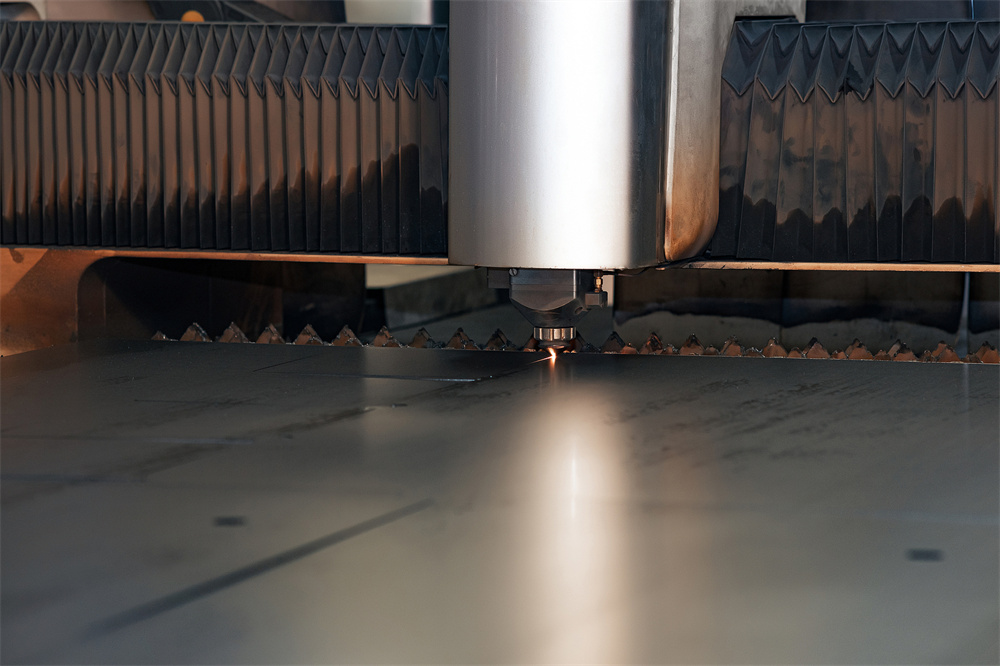
In this guide, we will explore the technical nuances of laser cutting, focusing on the parameters that dictate cut quality and the common pitfalls encountered in industrial environments. By mastering these troubleshooting techniques, operators can extend the lifespan of their equipment and ensure that every piece of sheet metal meets the required specifications without excessive secondary finishing.
Core Parameters Influencing Laser Performance
To effectively troubleshoot a laser cutting machine, one must first understand the core parameters that govern the cutting process. These variables are interdependent; changing one often necessitates adjustments in others to maintain a stable cutting environment.
- Laser Power (Watts): This is the amount of energy delivered by the laser source. Higher power allows for cutting thicker materials and increasing cutting speeds. If the power is insufficient, the laser will fail to penetrate the material, leading to incomplete cuts or excessive dross.
- Cutting Speed (m/min): The velocity at which the cutting head moves across the workpiece. If the speed is too high, the laser doesn’t have enough time to melt the material. If it is too low, the heat-affected zone (HAZ) becomes too large, causing warping or a rough surface finish.
- Gas Pressure (Bar/PSI): Assist gases (Oxygen, Nitrogen, or Air) are used to blow away molten metal and, in the case of oxygen, provide an exothermic reaction to speed up the cut. Incorrect pressure is a primary cause of burrs and slag.
- Focal Position (mm): The point where the laser beam is most concentrated. For thin materials, the focus is usually on the surface; for thicker materials, it may be set below the surface to facilitate better melt expulsion.
- Nozzle Diameter and Height: The nozzle directs the assist gas and protects the optics. The distance between the nozzle and the workpiece (stand-off height) must be consistent to ensure stable gas flow and beam focus.
Monitoring these parameters through the CNC interface is the first step in identifying why a machine might be underperforming. Often, “problems” are simply misconfigurations of these core settings rather than mechanical failures.
Calculation Method for Optimal Cutting Efficiency
Determining the correct settings for a new material or thickness involves more than guesswork. Engineers often use specific calculations to establish a baseline for troubleshooting. One of the most critical calculations is the Heat Input (HI), which helps in understanding how much energy is being absorbed by the material.
The formula for Heat Input is generally expressed as:
HI = (Laser Power × Efficiency Factor) / Cutting Speed
By maintaining a consistent HI across different thicknesses, operators can predict the behavior of the material. Another vital calculation is the Kerf Width, which is the width of the material removed during the cut. The kerf width is influenced by the focal spot size and the gas pressure. To calculate the final dimensions of a part, the formula is:
Programmed Dimension = Desired Dimension + (Kerf Width / 2)
When troubleshooting dimensional inaccuracies, checking the kerf compensation in the software is a priority. If the machine is cutting parts that are consistently too small or too large, the kerf width parameter likely needs recalibration based on the current nozzle and lens condition.
Standard Parameter Table for Fiber Laser Cutting
The following table provides a reference for common materials and thicknesses. Use these as a baseline for troubleshooting; if your machine is not performing well at these settings, it indicates an underlying issue with the optics or gas delivery.
| Material | Thickness (mm) | Laser Power (W) | Cutting Speed (m/min) | Assist Gas | Gas Pressure (Bar) |
|---|---|---|---|---|---|
| Carbon Steel | 2.0 | 1500 | 6.0 – 8.0 | Oxygen (O2) | 0.5 – 0.8 |
| Carbon Steel | 10.0 | 3000 | 1.2 – 1.5 | Oxygen (O2) | 0.4 – 0.6 |
| Stainless Steel | 2.0 | 2000 | 12.0 – 15.0 | Nitrogen (N2) | 12.0 – 14.0 |
| Stainless Steel | 6.0 | 4000 | 3.5 – 4.5 | Nitrogen (N2) | 16.0 – 18.0 |
| Aluminum | 3.0 | 3000 | 8.0 – 10.0 | Nitrogen (N2) | 14.0 – 16.0 |
| Brass | 2.0 | 2000 | 5.0 – 7.0 | Nitrogen (N2) | 15.0 – 17.0 |
Note: These values are approximate and vary based on the specific laser source (e.g., IPG, Raycus, Max) and the quality of the optics used in the HARSLE cutting head.
Common Engineering Mistakes in Laser Operation
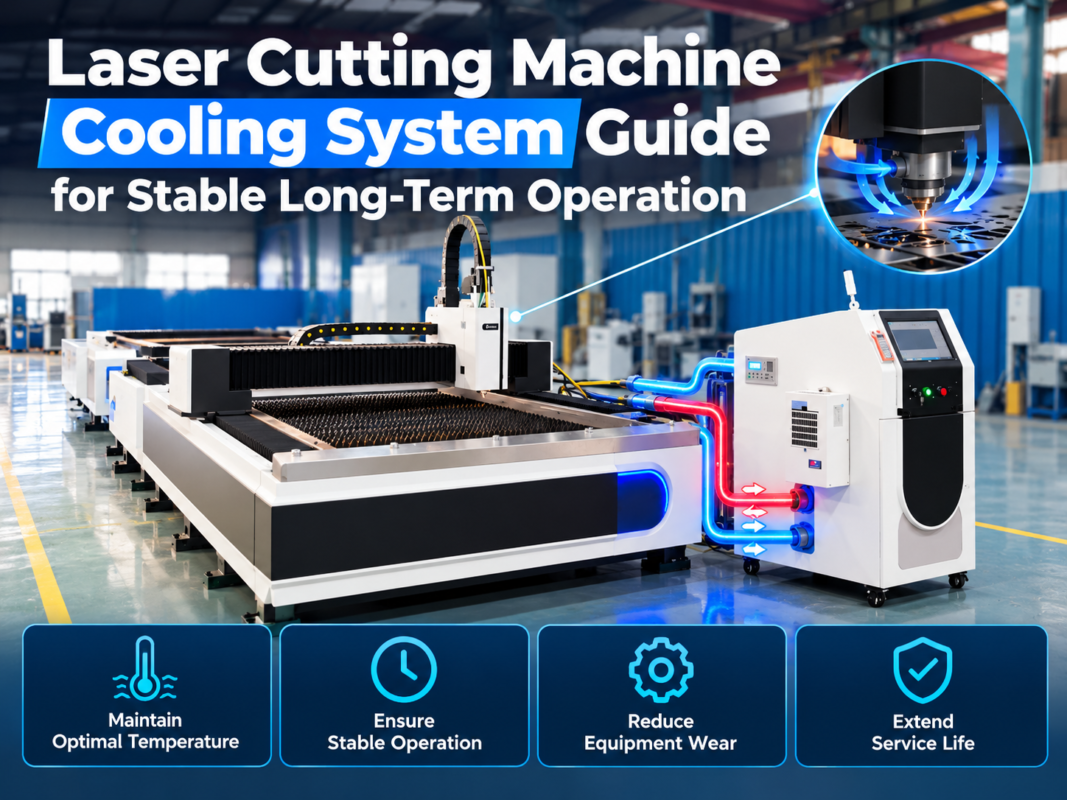
Even experienced engineers can fall into habits that lead to machine degradation. One of the most common mistakes is neglecting the cooling system. Fiber lasers generate significant heat; if the water chiller is not maintained, the laser source can overheat, leading to power fluctuations or permanent diode damage. Always ensure the coolant is clean and at the correct conductivity level.
Another frequent error is improper lens maintenance. Operators often wait until the cut quality drops significantly before checking the protective window. By then, dust or splatter may have burnt onto the lens, causing thermal lensing—a phenomenon where the lens deforms slightly due to heat, shifting the focal point during the cut. This leads to inconsistent quality across a single sheet of metal.

Finally, incorrect grounding of the machine can lead to “ghost” errors in the CNC system. Laser cutting machines involve high-frequency electronics that are sensitive to electromagnetic interference. Without a dedicated and verified ground, the machine may experience random resets or erratic motor movements, which are notoriously difficult to troubleshoot if the root cause (electrical noise) isn’t addressed.
Detailed Troubleshooting Guide for Common Problems
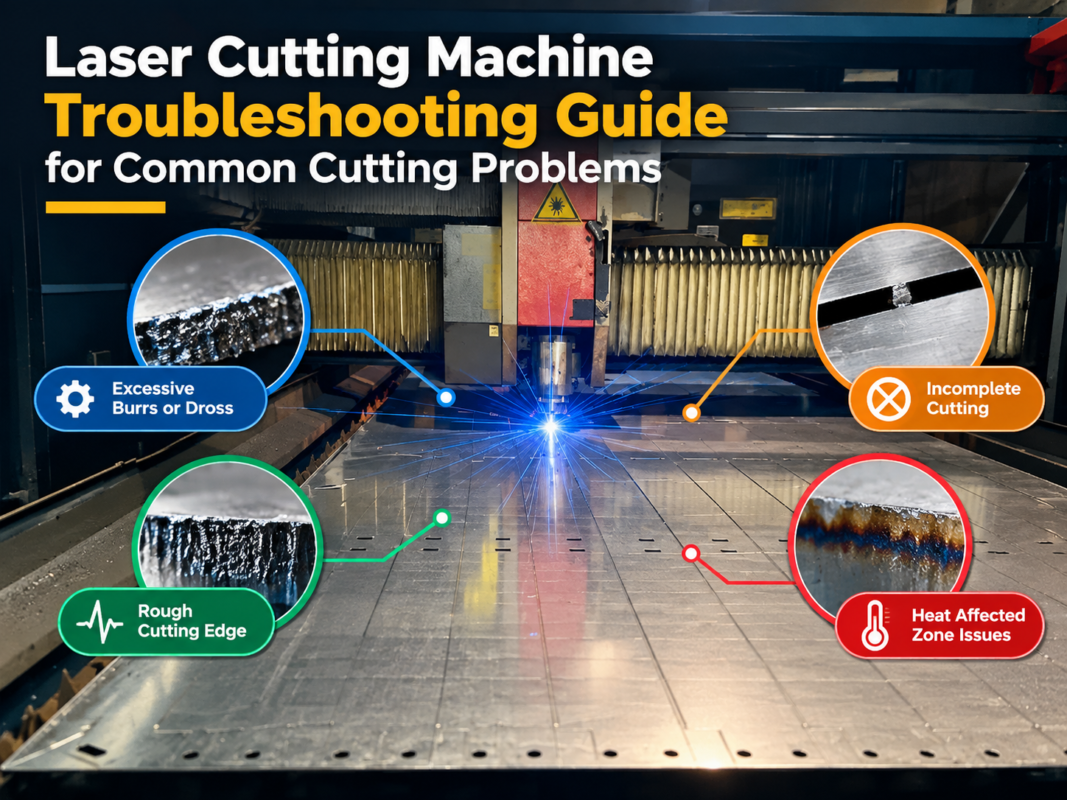
1. Excessive Burrs or Dross on the Bottom of the Cut
This is perhaps the most common issue. If the dross is hard and difficult to remove, it usually indicates that the cutting speed is too high or the laser power is too low. If the dross is “beady” and easy to pop off, the speed might be too slow. Additionally, check the focal position; if the focus is too high, the energy isn’t concentrated enough at the bottom of the kerf to eject the molten metal.
2. The Laser Does Not Penetrate the Material
If the machine is running but not cutting through, first check the laser power output. Is the laser source firing at the commanded wattage? Next, inspect the protective window for contamination. A dirty lens can absorb up to 50% of the laser energy. Also, verify that the assist gas is actually flowing and that the nozzle is not clogged. In some cases, the material itself may have a heavy scale or coating that reflects the laser beam.
3. Rough Cutting Surface (Striations)
Rough edges are often caused by incorrect gas pressure or nozzle issues. If the gas pressure is too high when cutting thick carbon steel with oxygen, it causes an over-reaction, leading to deep grooves. Conversely, if the nozzle is not perfectly centered with the laser beam, the gas flow becomes turbulent, resulting in an uneven finish on one side of the part.
4. Machine Vibration and Inaccurate Geometry
If circles are coming out as ovals or corners are rounded, the issue is likely mechanical. Check the tension of the drive belts and the lubrication of the linear guides. Over time, the rack and pinion system can accumulate debris, leading to “backlash.” Ensure that the servo motors are tuned correctly; if the gain is too high, the machine will vibrate; if too low, it will lag behind the programmed path.
Selection Checklist for New Laser Cutting Equipment
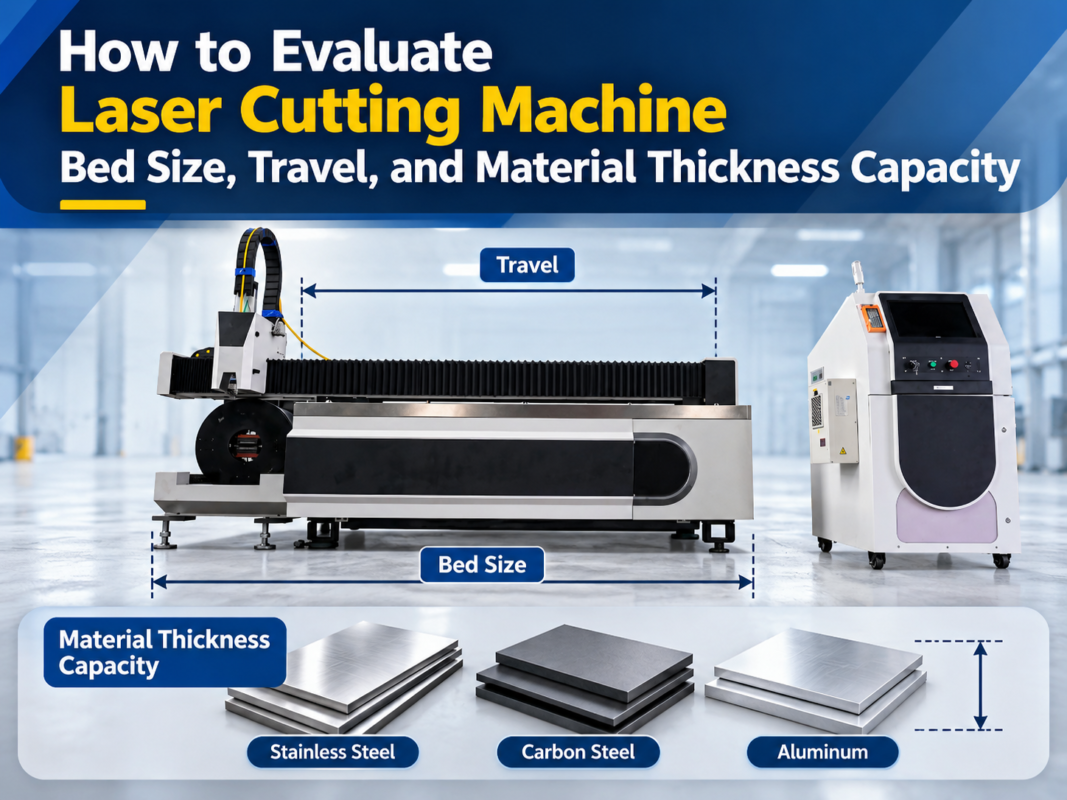
When troubleshooting becomes a daily occurrence, it may be time to consider an upgrade. Use this checklist to ensure your next machine, such as a HARSLE high-power fiber laser, is equipped to handle your production needs:
- Laser Source Brand: Opt for reputable brands like IPG, Raycus, or nLight which offer better stability and global support.
- Bed Structure: A heavy-duty, heat-treated plate-welded or cast iron bed is essential for high-speed stability and long-term accuracy.
- Cutting Head Features: Look for autofocus capabilities and built-in sensors for temperature and pressure monitoring.
- CNC Software: Ensure the software is user-friendly and supports advanced nesting and fly-cutting features to optimize material usage.
- Dust Extraction: A robust, multi-zone dust extraction system is vital for maintaining a clean optical environment and protecting operator health.
- After-Sales Support: Verify the manufacturer’s ability to provide remote diagnostics and fast spare parts delivery.
Frequently Asked Questions (FAQ)
How often should I clean the laser lens?
In a typical production environment, the protective window should be inspected daily. Depending on the material (especially galvanized steel or aluminum), it may need cleaning every 4-8 hours of operation. The internal collimating and focusing lenses should only be handled by trained technicians during scheduled maintenance.
Why is my fiber laser cutting differently in the center of the bed vs. the corners?
This is usually a sign of a leveling issue or a slight misalignment in the machine’s gantry. If the bed is not perfectly flat, the distance between the nozzle and the material changes, affecting the focus. While most modern machines have height followers (capacitance sensors), extreme variations can still cause quality shifts.
Can I use compressed air instead of Nitrogen for cutting?
Yes, many HARSLE machines are capable of air cutting. It is cost-effective for thin stainless steel and carbon steel. However, you must ensure the air is extremely dry and oil-free. Any moisture or oil in the air line will instantly ruin the protective window and potentially damage the cutting head optics.
What causes the laser beam to become “fuzzy” or lose focus?
This is often due to “thermal lensing.” If the lens is slightly dirty, it absorbs laser energy and heats up. As it heats, its refractive index changes, causing the focal point to shift upwards. If you notice the cut quality starts well but degrades after a few minutes of cutting, thermal lensing is the likely culprit.
How do I know if my assist gas pressure is correct?
The best way is to perform a “cut test.” Start with the manufacturer’s recommended settings and adjust in small increments (0.1 – 0.2 Bar). For oxygen cutting, the goal is a smooth, blue flame. For nitrogen cutting, you want enough pressure to clear the melt without causing so much turbulence that it cools the melt too quickly.
Is it normal for the cutting head to occasionally hit the material?
While height sensors are designed to prevent this, “tip-ups” (where a small part tilts up after being cut) can cause collisions. Using “micro-joints” or “tabs” to keep parts attached to the skeleton until the job is finished is the best way to prevent head crashes and protect your expensive cutting head.